
A bio data form organizes personal, education, and work details for a specific purpose. A job applicant, fresh graduate, employee, and consultant need different sections, so choose the layout around the recipient’s request rather than trying to complete every field in a general sample.
This collection contains 16 formats, including five editable Word templates with matching printable PDFs. The direct-download designs cover job applications, graduate opportunities, employee records, consulting profiles, and personal introductions. Use the guide below to choose a version, keep information consistent, and prepare a readable final copy.
View the five editable bio data templates and previews, followed by the wider collection below.
What Is a Bio Data Form?
Bio data is short for biographical data. A bio data form is a document that lists personal details about an individual, such as full name, date of birth, gender, nationality, religion, marital status, address, and contact information. It often also lists education and basic qualifications.
Many people confuse bio data with a resume or CV, but they are different. A bio data focuses mainly on personal information, while a resume focuses on work experience, skills, and achievements in reverse chronological order. If you add a detailed work history to a bio data, it starts to look like a resume.
Why Use a Bio Data Form Template?
A template saves time and helps you avoid leaving out important details. Here is why applicants and employers like them:
- Clear structure. Every section is labeled, so you know exactly what to fill in.
- Consistency for employers. HR teams can compare applicants easily when everyone uses the same format.
- Time saving. You can complete a form in minutes instead of designing one from scratch.
- Multiple uses. Companies also use bio data forms to keep personal and contact records for new employees.
If the recipient expects a separate introduction, use a letter of introduction to explain the reason for contact.
What to Include in a Bio Data Form
Most bio data forms include the following sections:
- Full name and father’s or guardian’s name (where applicable)
- Date of birth, age, gender, and nationality
- Marital status and religion, if requested
- Permanent and current address
- Phone number and email address
- Educational qualifications with year and institution
- Skills, languages, and hobbies
- Brief work experience, if the form asks for it
- References, signature, date, and a recent photograph
Note: Only share personal details that an employer legitimately needs, and keep copies of your documents safe.
Check the bio data against your job application form so dates and qualifications agree.
2 Additional Bio Data Templates
Choose the layout that fits your task. Each preview shows the actual PDF; download it to print or complete the available form fields in a PDF reader.
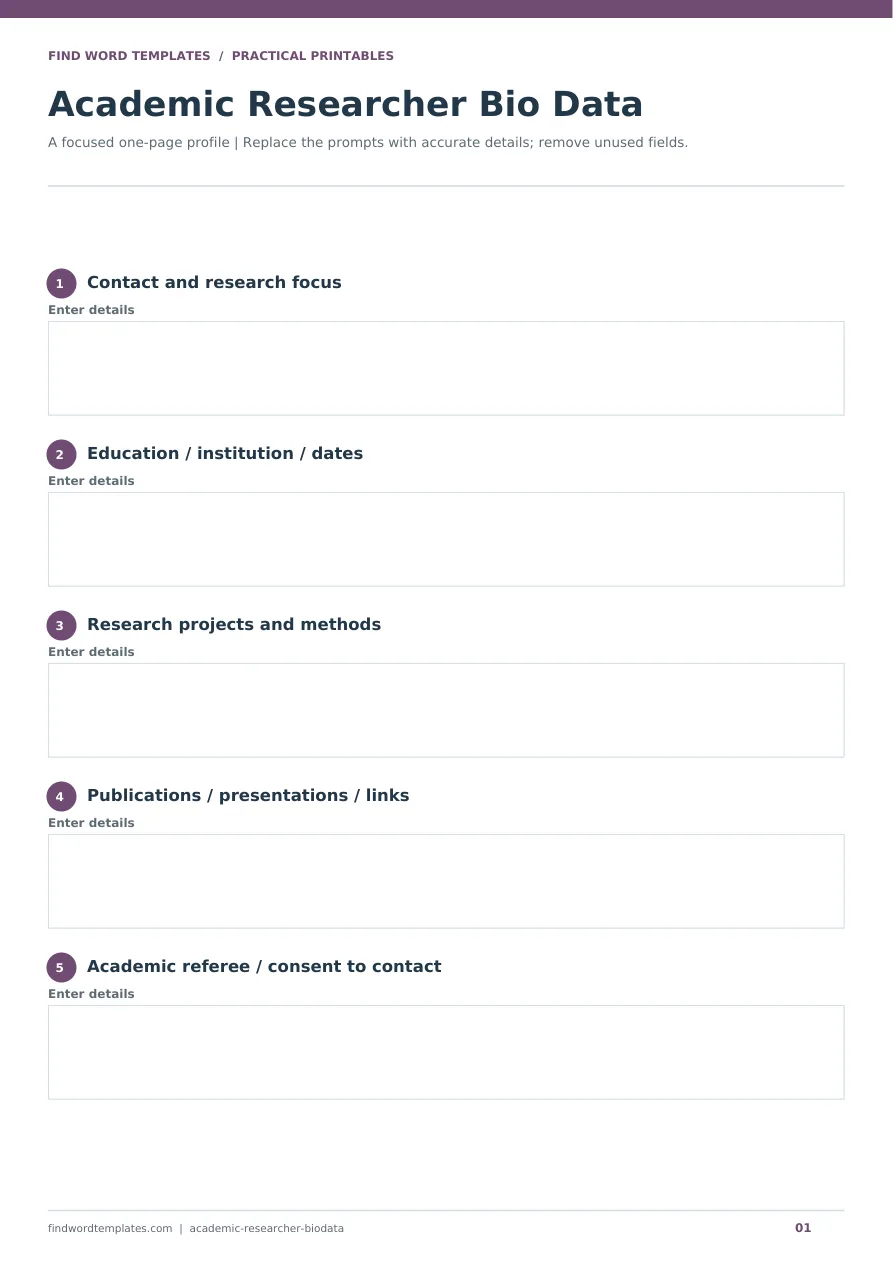
Academic Researcher Bio Data
A fillable one-page academic researcher bio data with distinct sections for contact and research focus, education / institution / dates, research projects and methods, publications / presentations / links, academic referee / consent to contact.
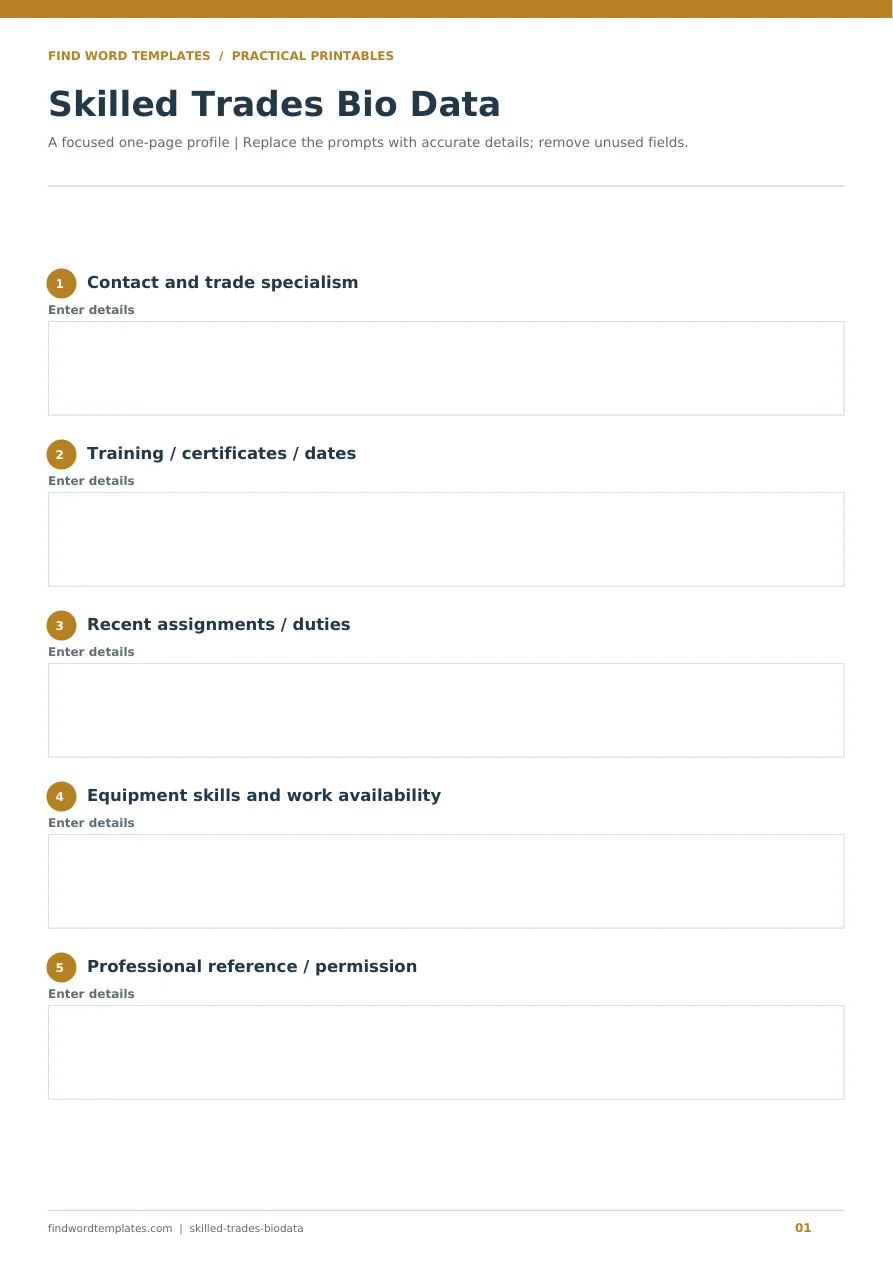
Skilled Trades Bio Data
A fillable one-page skilled trades bio data with distinct sections for contact and trade specialism, training / certificates / dates, recent assignments / duties, equipment skills and work availability, professional reference / permission.
5 Editable Bio Data Templates with Direct Downloads
Choose a bio data format for your purpose rather than trying to fit every application into the same form. These five layouts have different sections for job applications, graduate opportunities, employee records, consulting work, and personal introductions. Download the Word version to edit the prompts, or use the matching PDF for printing.
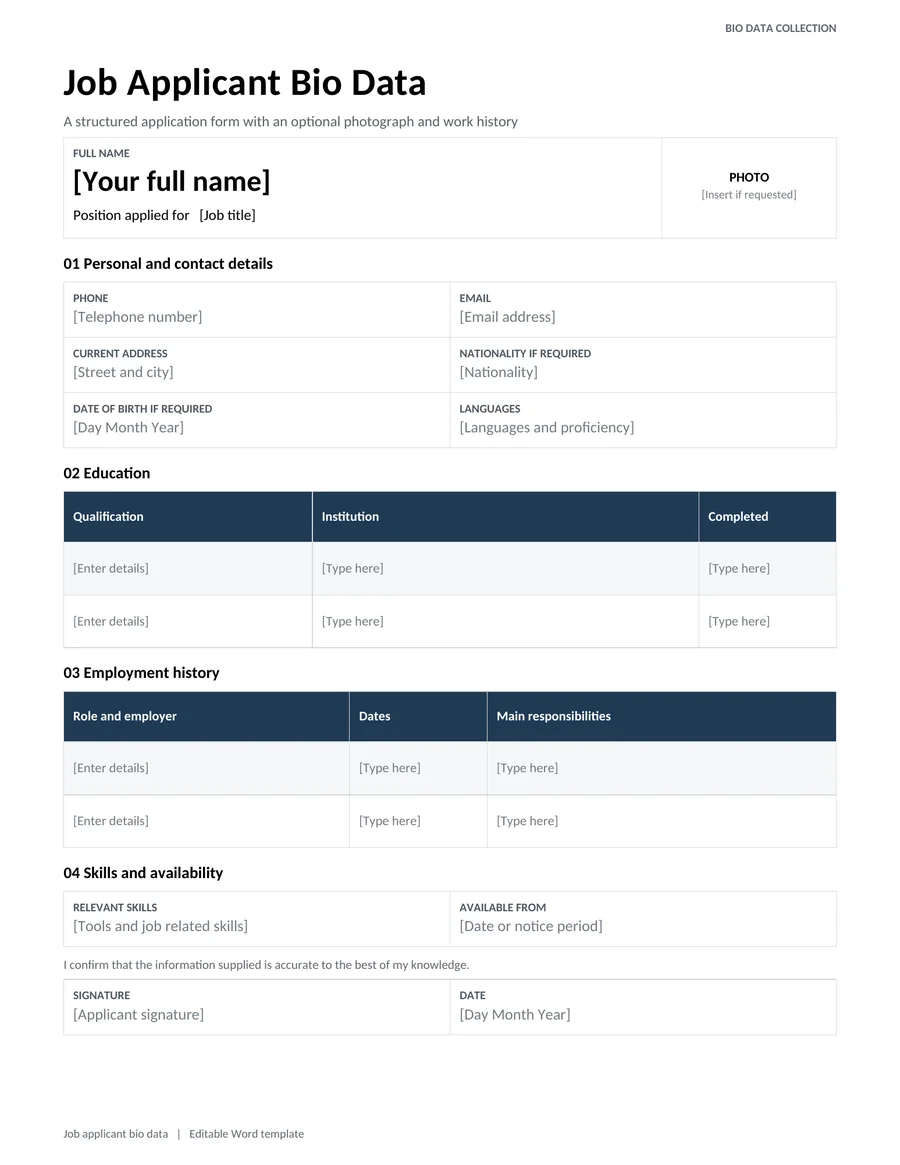
Job Applicant Bio Data Template
A formal application layout with an optional photo area, personal and contact details, education, employment history, skills, and a signed declaration. Choose this version when an employer asks for a structured bio data form alongside a job application.
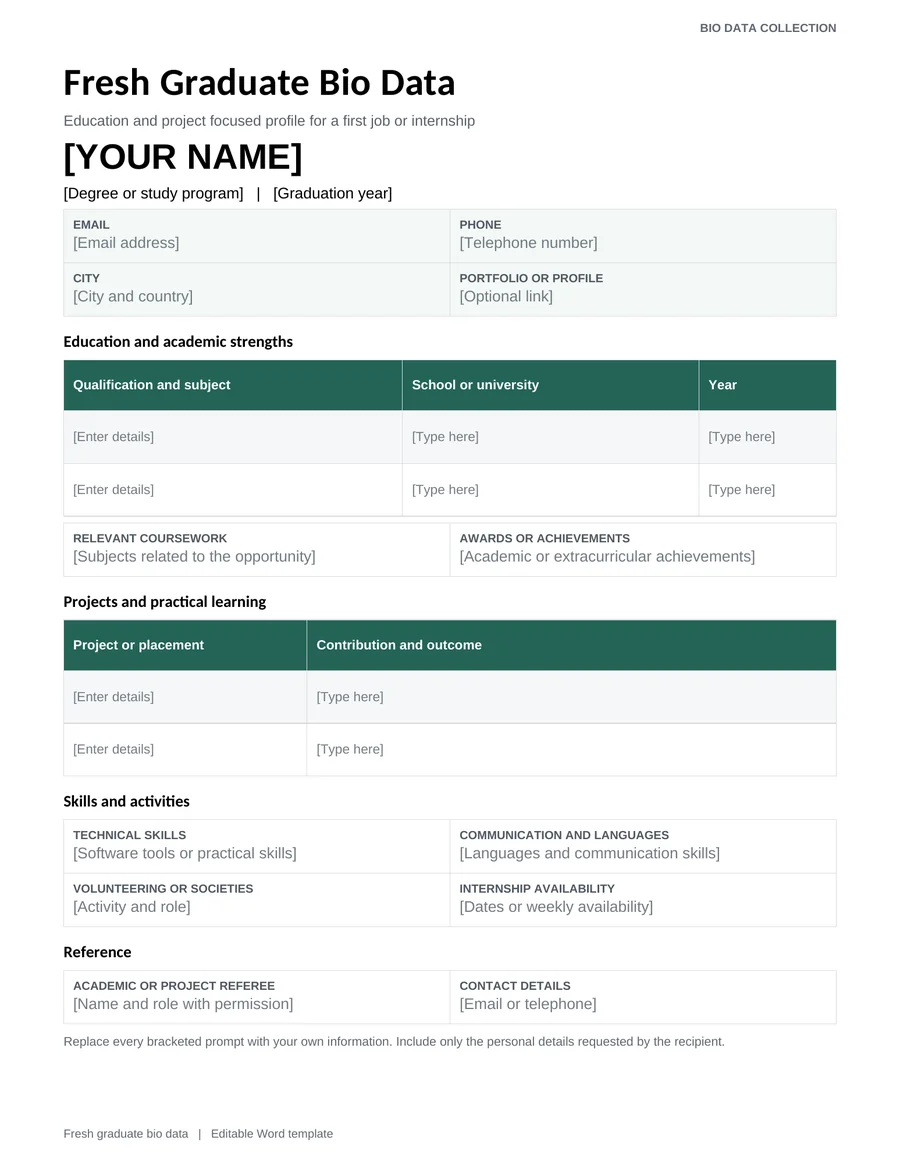
Fresh Graduate Bio Data Template
Designed for a first job or internship, this version gives education, coursework, projects, volunteering, and practical skills more space than employment history. It also includes a portfolio field and an academic or project referee.
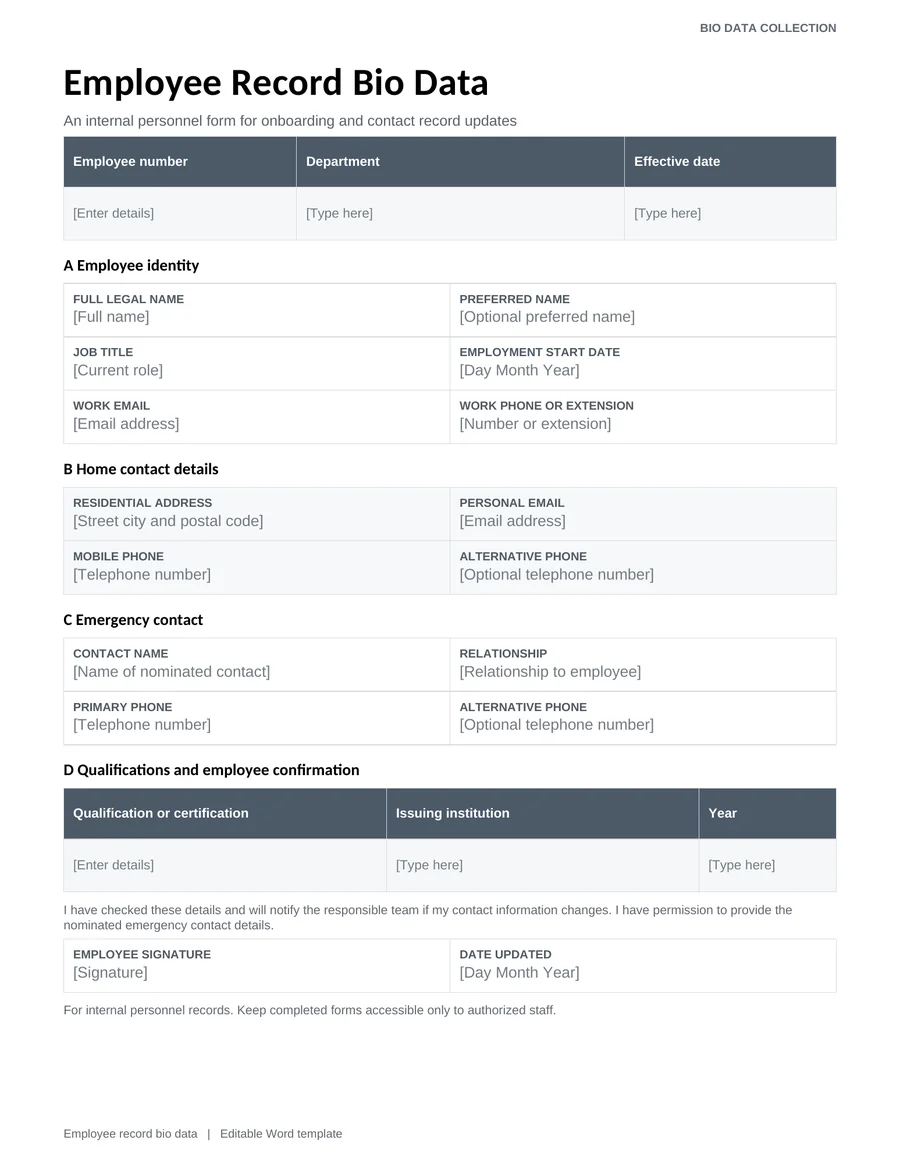
Employee Record Bio Data Template
Use this form for internal employee records and onboarding. Its sections cover employee identity, work details, home contact information, a nominated emergency contact, qualifications, and confirmation of the latest update.
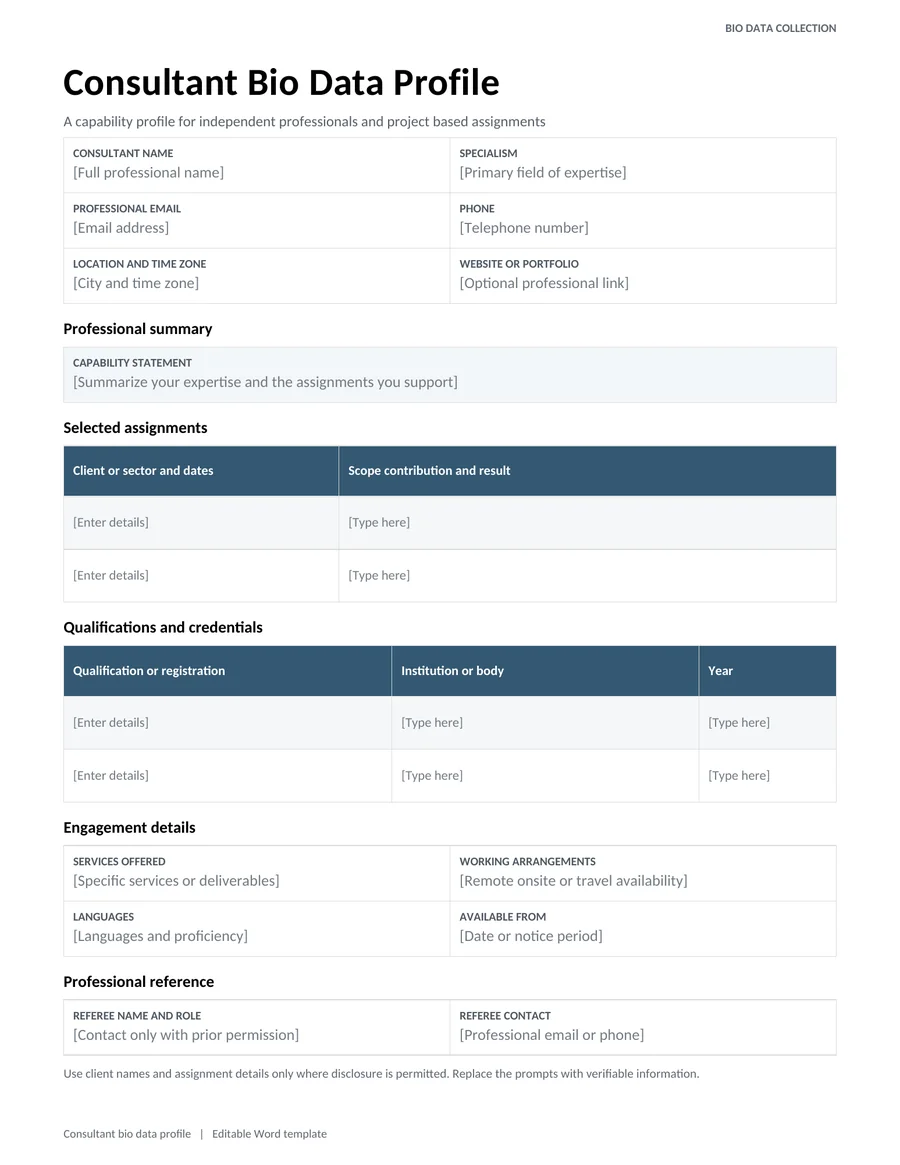
Consultant Bio Data Profile Template
A capability focused profile for independent professionals. It includes a professional summary, selected assignments, qualifications, services offered, working arrangements, availability, and a professional reference.
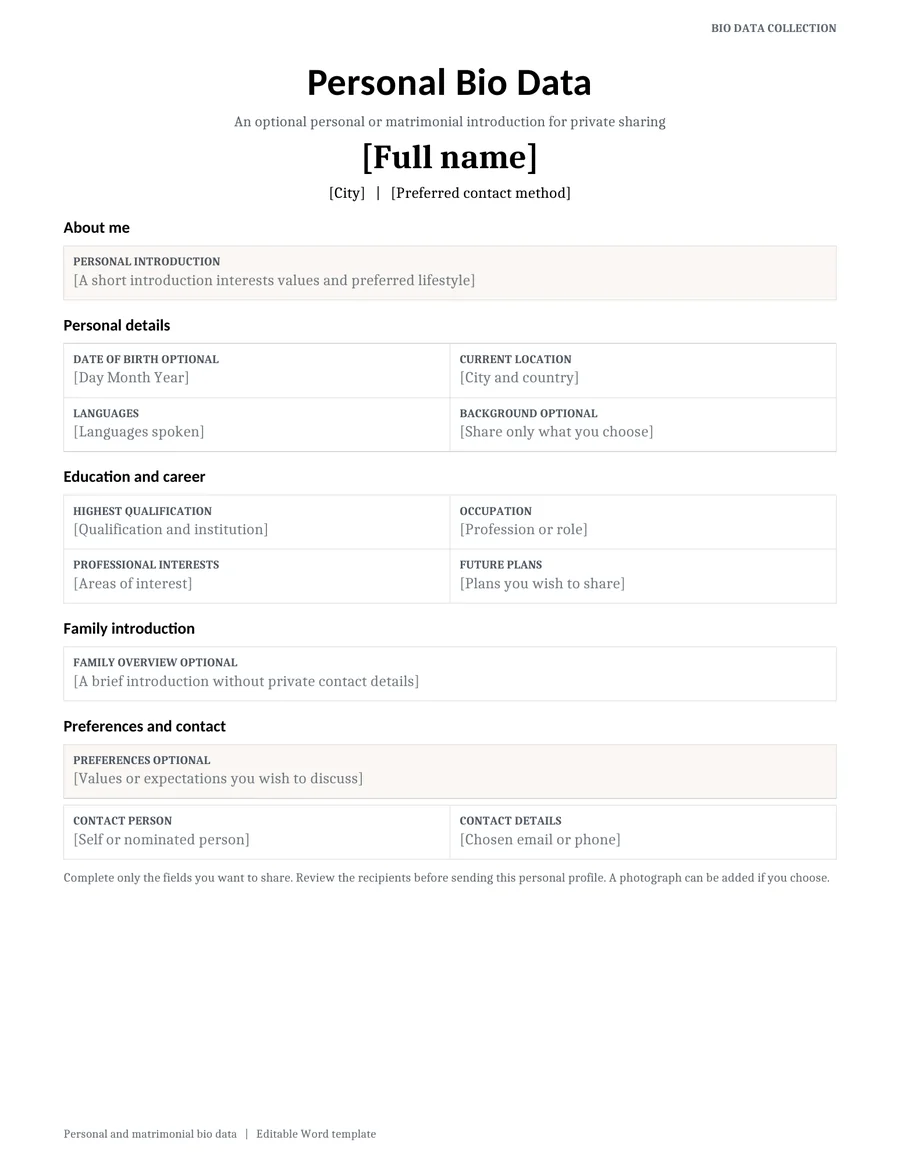
Personal and Matrimonial Bio Data Template
A personal introduction with space for education, career, a brief family overview, and optional preferences. The centered heading and serif text give it a different presentation from the employment forms. Complete only the details you wish to share.
Free Bio Data Form Templates
Click any preview to view it in full size, then use the download button beneath it to get the file.
Bio Data Sample 1 (Word)


Brief Bio Data Form (Word)

Bio Data Form for Consultant (PDF)

Bio Data Form for Employment (PDF)

Bio Data Format for Job (PDF)

Company Bio Data Format (PDF)

Sample Bio Data Form (PDF)

Special Immigrant Visa Bio Data Form (PDF)

Education Division Bio Data Form (Word)

Bio Data vs. Resume vs. CV
These three documents are often mixed up, but each has a different job:
- Bio data: Emphasizes personal details such as date of birth, nationality, and marital status. Common in government and some overseas job applications.
- Resume: A one- or two-page summary of skills, work history, and achievements tailored to a job.
- CV (curriculum vitae): A longer, detailed record of education, research, publications, and career history, often used in academic settings.
For academic roles, an academic CV gives more room for publications, research, and teaching experience.
How to Fill Out a Bio Data Form
- Download a template in the format your employer accepts, Word or PDF.
- Read every field before you start writing.
- Enter your full name exactly as it appears on your official documents.
- Fill in your personal, contact, and education details accurately.
- Add skills, languages, and a short work summary if requested.
- Attach a recent photograph, then sign and date the form.
- Proofread carefully and save a copy before submitting.
Some programs and employers also ask for a short letter of intent that explains your goals.
Tips for a Strong Bio Data
- Use clear, simple language and avoid abbreviations.
- Keep information consistent with your certificates and ID documents.
- List education from most recent to oldest.
- Leave no required field blank; write “N/A” if something does not apply.
- Use a professional photograph and a clean, readable font.
- Keep it to one or two pages.
A neat, accurate bio data form helps you make a strong first impression and helps employers get the information they need quickly. Pick one of the 16 templates above, fill it in carefully, and double-check every detail before you submit it.
Choosing the Right Bio Data Layout
Read the receiving organization’s instructions before choosing a bio data template. Identify whether it wants a particular file type, a signed declaration, a photograph, or its own form. If an application already has a prescribed layout, follow it. A visually attractive alternative can still be inconvenient for the person comparing applications when key details appear in a different place.
For a first job, give education, projects, volunteering, and practical skills enough room. Someone with little employment history does not need to fill half a page with empty job rows. For a consultant, selected assignments and services offered may be more useful than a long school history. An internal employee record has another purpose: keeping contact and work details current after hiring.
Keep a personal or matrimonial profile separate from a professional application. Those audiences have different reasons for reading the information, and a field that belongs in one context may be unnecessary in another. Start with a clean copy of the appropriate design so private details are not carried into a work document by accident.
A Consistency Check Before You Submit
Imagine an applicant whose certificate shows “Ayesha Khan” but whose draft uses an abbreviated name. Before submission, the applicant can check which full name the recipient expects and use it consistently. The same check applies to qualification titles, institution names, employment periods, and contact details. Minor differences can create avoidable questions even when the underlying information is correct.
Write dates unambiguously. “June 2024 to August 2025” is easier to interpret across different date conventions than a shortened numeric range. For a current role, use a clear “present” entry and an accurate start date. Distinguish an awarded qualification from a course still in progress rather than presenting both as completed.
Review the form on screen and in its final output format. Long email addresses can wrap into the next field, photos can push a table onto a second page, and a signature area can become detached from its declaration. If you export a Word bio data form to PDF, reopen that PDF and check every page before sending it. Keep the editable master separately for future updates.
Finally, confirm the destination and attachment name. A useful filename identifies the applicant and document, while a version date helps distinguish a fresh copy from an older one. Share the completed form through the requested channel and keep a copy of what was submitted, including the date. Later revisions should be checked against that copy so changes in work history or contact details remain intentional.
Frequently Asked Questions (FAQs)
What is a bio data form?
A bio data form is a document that lists an individual’s personal details, education, and basic qualifications. Employers, schools, and government offices use it to gather standard information.
What is the difference between bio data and a resume?
Bio data focuses on personal details like birth date and nationality, while a resume focuses on work experience and skills. A resume is usually more career-oriented.
When is a bio data form required?
It is commonly requested for government jobs, some overseas positions, matrimonial profiles, and internal company records for new hires.
Should I include a photograph?
Many bio data formats include a space for a passport-size photo. Follow the instructions given by the employer or organization.
How long should a bio data be?
One or two pages is usually enough. Keep it concise and relevant to the purpose.
Can I edit these templates?
The Word templates can be edited on your computer. PDF versions can be printed and filled by hand or completed with a PDF editor.
Are these bio data forms free?
Yes, all the forms on this page are free to download and use.
Can I reuse one bio data form for several applications?
Keep a master record of accurate information, then make a separate copy for each purpose. Review required fields, wording, attachments, and the recipient’s instructions before submitting; avoid sending a personal profile unchanged as a professional application.



You must be logged in to post a comment.