A sign in sheet template gives arrivals a quick way to record their presence at a meeting, class, reception desk, or event. Choose the fields around the purpose: a headcount may need only a name, while visitor management may also need arrival and departure times.
2 New Editable Templates with Previews
Choose a layout for the task you need to complete. Each preview shows the actual editable Word file. Download the template and replace the placeholders or example inputs with your own details.
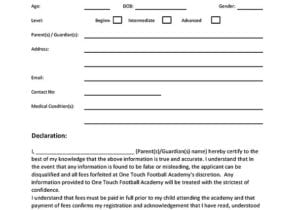
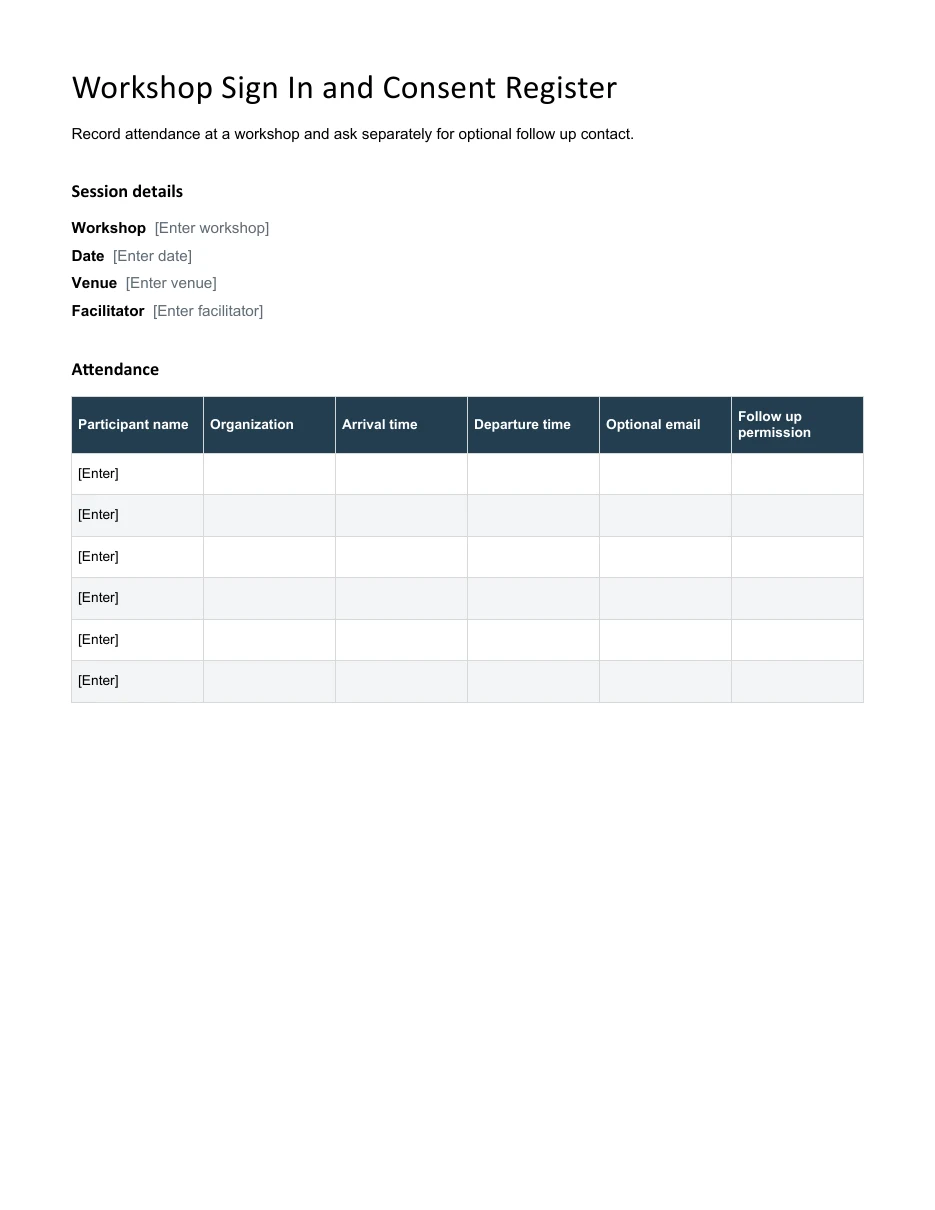
Workshop Sign In and Consent Register
Record attendance at a workshop and ask separately for optional follow up contact.
Download Editable Word Template
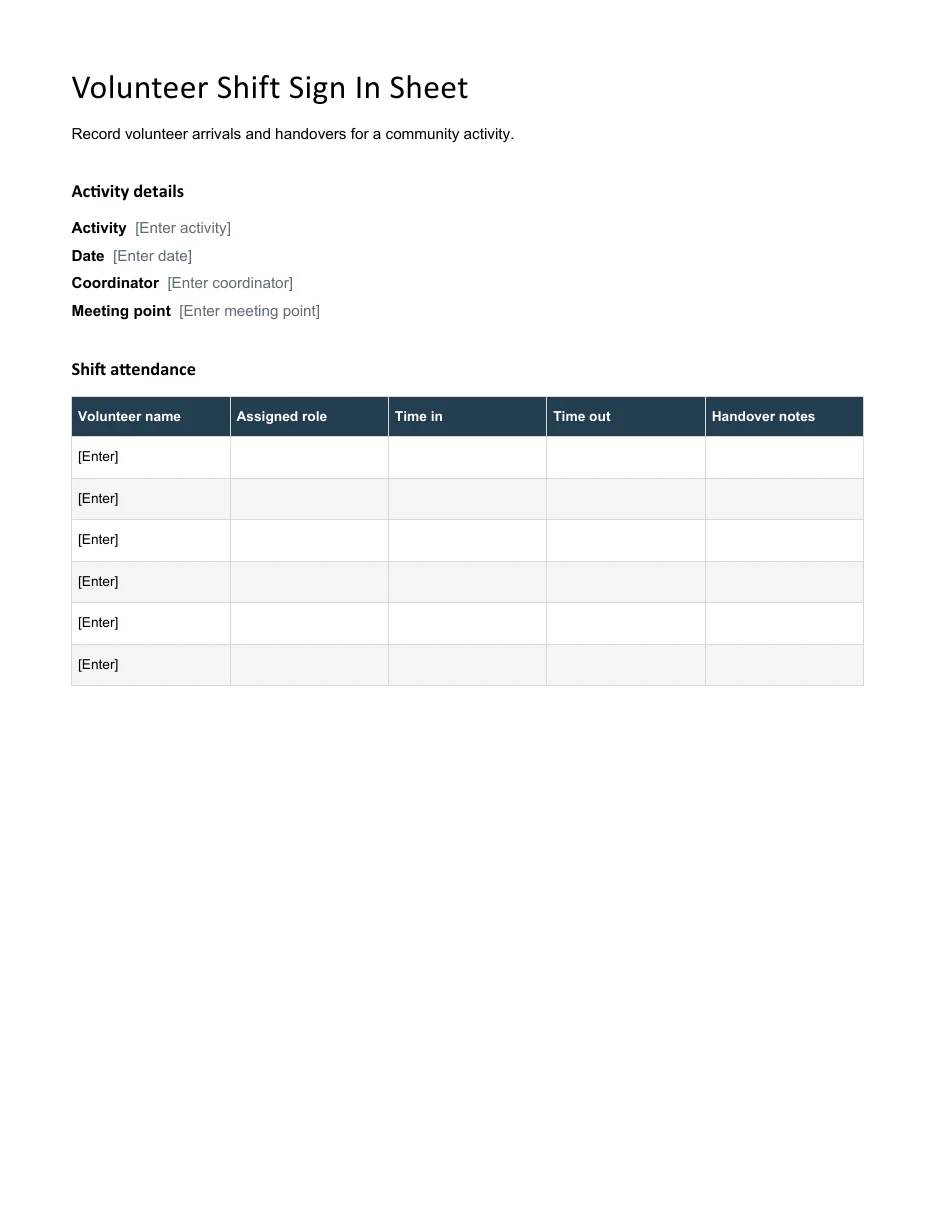
Volunteer Shift Sign In Sheet
Record volunteer arrivals and handovers for a community activity.
The 4 examples below include two editable files with direct downloads. Give people enough writing space and avoid collecting details you have no reason to use. The guide explains how to choose a layout, handle corrections, and keep completed sheets organized without exposing more attendee information than the event requires.
Go to the two editable templates and preview images and read the practical guidance below.
What Is a Sign In Sheet?
A sign in sheet is a form on which people write their names and other details when they arrive at an event, workplace or class. It works like an attendance sheet, collecting basic information about everyone present. Many versions also include a sign out column so you can track when people leave. For staff hours that feed into payroll, use a timesheet rather than a visitor sign in sheet.
Common Types of Sign In Sheets
- Meeting sign in sheet: used by organizers to record attendees, job titles and contact information at a meeting, seminar or workshop.
- Class sign in sheet: helps teachers and trainers keep a record of students attending a lecture or session.
- Visitor sign in sheet: used at offices, schools and facilities to log who is visiting, why and whom they are seeing.
- Employee sign in and sign out sheet: tracks arrival and departure times for staff.
- Open house sign in sheet: used by real estate agents to collect visitor contact details for follow-up.
- Event sign in sheet: logs guests at parties, fundraisers and conferences.
For recurring sessions, transfer the relevant attendance information to an attendance sheet.
For a card-club meeting, the sign-in sheet records who attended; Canasta score sheets keep the round-by-round scores separate from the membership or attendance record.
Why Use a Sign In Sheet Template?
- Saves time: you do not have to design columns and headings from scratch.
- Consistent records: every attendee provides the same details in the same order.
- Safety and security: a visitor log shows who was in the building if there is an emergency.
- Better follow-up: contact details make it easy to send thank-you notes, minutes or offers.
- Proof of attendance: useful for training, compliance and payroll purposes.
For formal meetings, keep attendance evidence with the meeting minutes.
What to Include in a Sign In Sheet
- Event or location title: such as “Weekly Team Meeting” or “Visitor Log.”
- Date and time: the day of the event, and start and end times if needed.
- Name column: for a printed or written name.
- Company or organization: especially for meetings and visitor logs.
- Contact information: phone number or email address.
- Purpose of visit or role: optional, but useful for visitors.
- Time in and time out: for staff and visitor tracking.
- Signature line: if you need a formal record.
Use a registration form when you need participant details before the event.
2 Editable Templates with Direct Downloads
Choose one of the two layouts below to suit your needs. Each preview shows the actual editable file, which you can download directly.
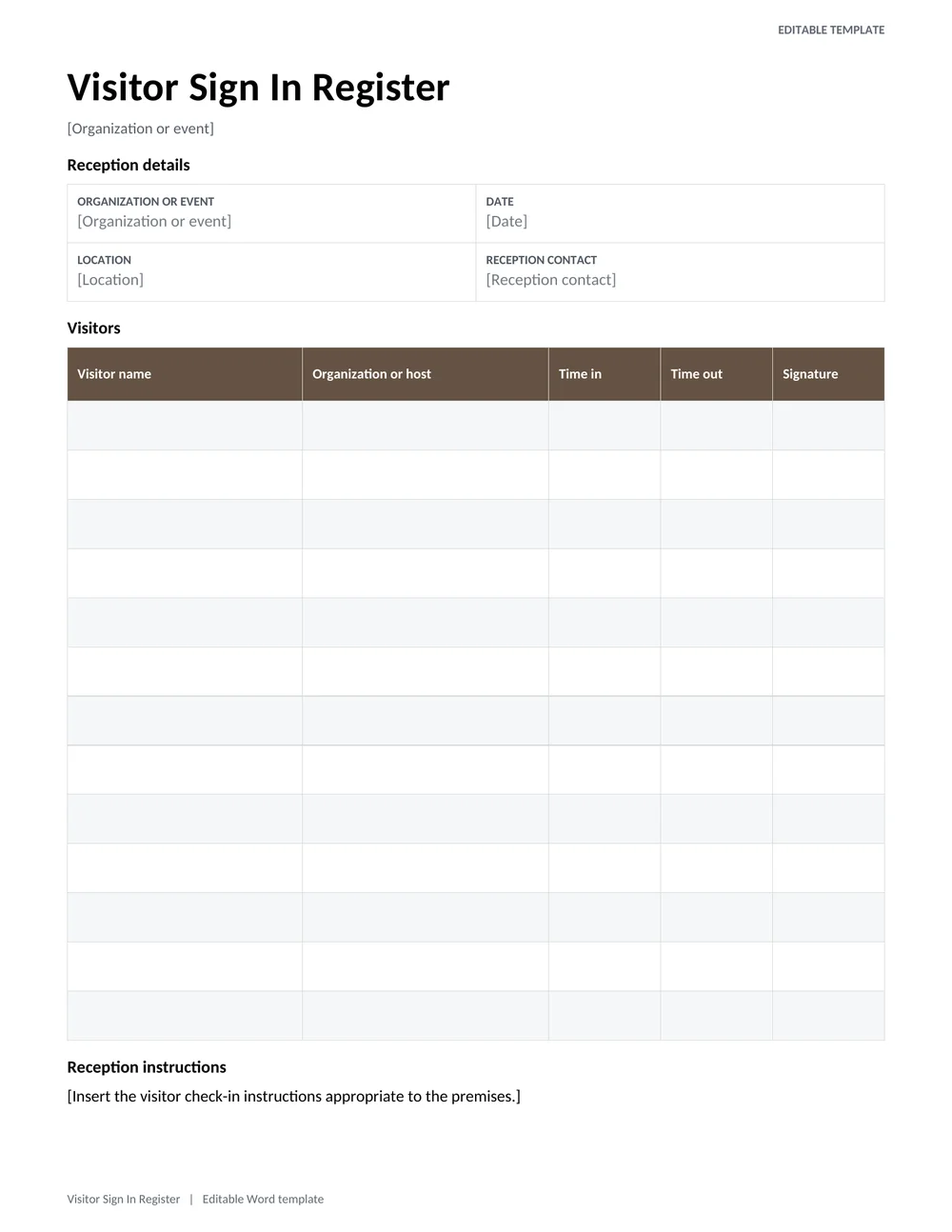
Visitor Sign In Register
A printable reception sheet with visitor name, organization, host, purpose, arrival, and departure times.
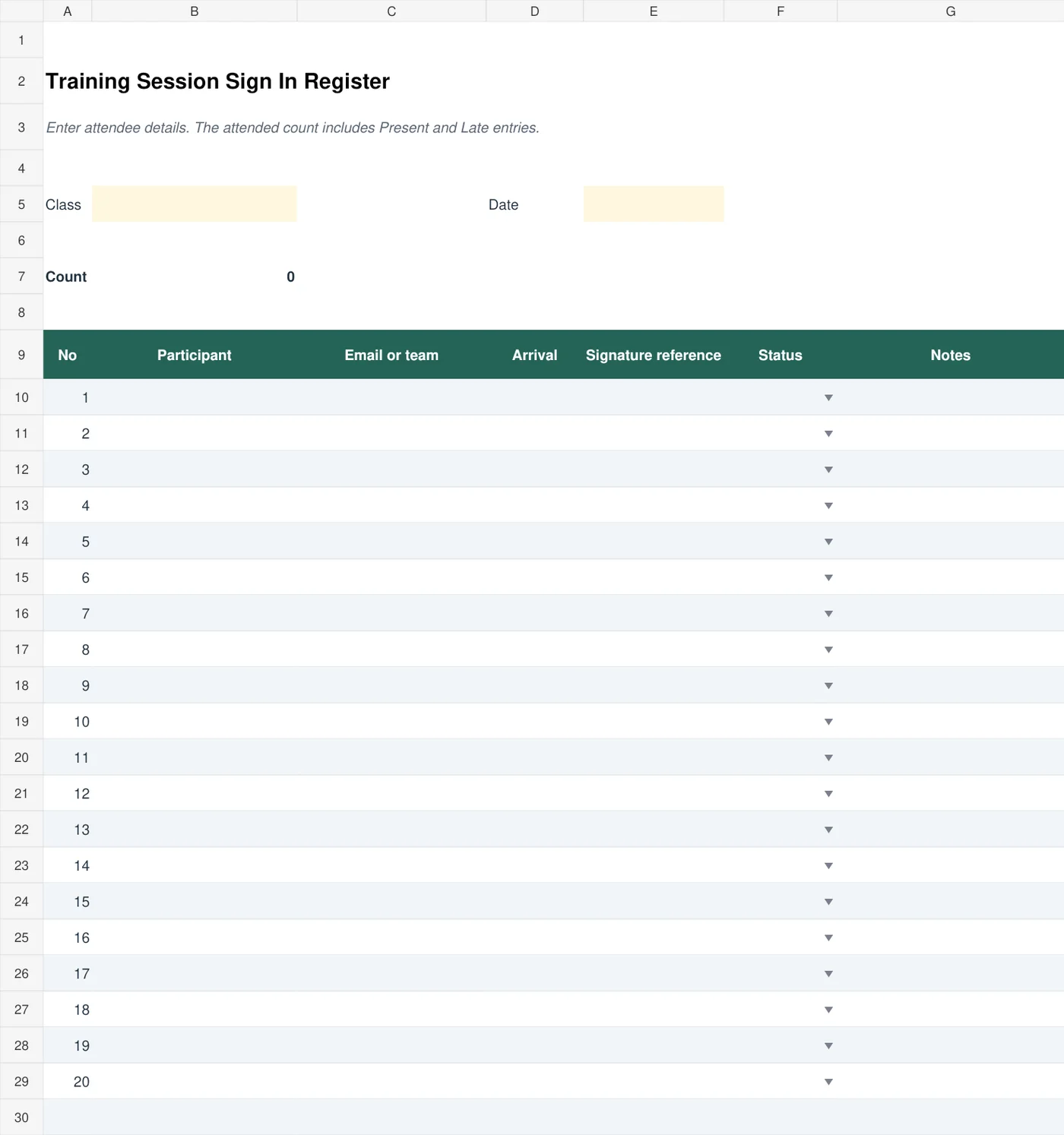
Training Session Sign In Register
An Excel sign-in register for a training session with participant details, arrival times, attendance codes, and a calculated attended count.
How to Make a Sign In Sheet Step by Step
- Decide the purpose. Is it for a meeting, class, visitor log or open house? The purpose determines which columns you need.
- Pick a layout. Choose one of the samples above that matches your event.
- Create it in Word or Excel. Use a table with rows for attendees and columns for each detail.
- Add a clear title and date. Put the event name and date at the top.
- Keep it simple. Ask only for information you actually need, so sign-in is quick.
- Make enough rows. Estimate the number of attendees and add extra space.
- Print and place it. Put the sheet on a clipboard with a pen at the entrance.
- Store it safely. Keep completed sheets for your records, or type the information into a digital file.
For staff shifts, compare the sign in times with the planned work schedule.
Collecting the Minimum Information Needed for the Event
A sign in sheet should serve a clear purpose, such as recording visitors, confirming workshop participation, or supporting a training record. Decide that purpose before choosing the fields. A visitor register may need a host, arrival time, and departure time. A training register may need the session reference and attendance status. Collecting extra contact information because a template contains a column can expose details the organizer does not actually need.
The visitor sign-in register above is a Word layout suited to a printed reception record. The training-session Excel register organizes participants and status information for a session. Use the appropriate form rather than expecting one sheet to cover every situation. If the organization requires a separate identity check, consent process, or access authorization, a name written on a register should not be treated as a substitute.
Think about what the next person in line can see. An open sheet displaying earlier visitors’ phone numbers or personal details may disclose information unnecessarily. Consider an appropriate check-in arrangement that limits exposure, such as staff-managed entry or individual records, where needed. Keep the published copy of a participant list separate from a more restricted administrative record.
Handling Late Arrivals, Corrections, and Completed Records
For a fictional workshop, a participant might arrive after the first activity but remain for the rest of the session. Record the actual arrival information and apply the organizer’s attendance rule consistently. Do not mark the participant absent simply because they missed the first headcount, or fully present if the record is intended to show time attended. Explain any status codes to the person maintaining the register.
On a visitor sheet, a missing departure entry does not necessarily mean the visitor is still on site. It may mean the person forgot to sign out. Follow the organization’s process to resolve uncertainty rather than making an unsupported assumption. If the register is used in an emergency procedure, the responsible team should understand its limitations and keep it current through the established site process.
Correct errors transparently. A legible correction on paper or a dated administrative note can preserve what changed without leaving several competing entries for the same person. When two participants have similar names, use a suitable event reference or another appropriate distinguishing detail. Avoid adding highly sensitive identifiers to a shared sheet merely to resolve a naming problem.
After the event, reconcile the register with any relevant session records, store it with access appropriate to its purpose, and follow the organization’s retention process. Clear old names from the master before reusing it. A clean, dated sign-in template helps the next organizer start with the correct fields instead of accidentally circulating a previous event’s completed attendance list.
Test the printed sheet at the check-in point before guests arrive. There should be enough writing space, a usable pen, and clear instructions about which fields the visitor completes and which staff complete. Small practical details can determine whether the final record is readable and complete.
Tips for Better Sign In Sheets
- Use large enough rows and readable fonts so people can write comfortably.
- Protect privacy by using a form where each person cannot easily read others’ details, or a sheet with one entry per page for sensitive events.
- Have a volunteer or receptionist near the sheet to help guests.
- Test your sheet with a few people before a large event.
- Follow local privacy rules when you collect and store personal details.
A good sign in sheet keeps events organized and gives you a reliable record of attendance. With 4 templates for visitor and training attendance, you can choose the layout that fits your need and get started right away. Print a sheet, place it at the door and keep your records in order.
Frequently Asked Questions (FAQs)
What is a sign in sheet used for?
It records who attends a meeting, class, event or visit, along with details such as name, contact information and arrival time.
What is the difference between a sign in sheet and an attendance sheet?
They are similar. Sign in sheets are often used for events, visitors and meetings, while attendance sheets are more common for classes and regular groups. Many templates can serve both purposes.
Are these sign in sheet templates free?
Yes. The visitor register and training register at the top are free to download directly. The remaining samples link to their original sources.
What should a visitor sign in sheet include?
Include the visitor’s name, company, person being visited, purpose of the visit, time in, time out and a signature. Some workplaces also add a badge number.
Can I make a sign in sheet in Word or Excel?
Yes. A simple table with the right columns works well in either program. Excel is especially handy if you want to sort or count entries later.
How long should I keep sign in sheets?
It depends on your organization’s rules and any legal requirements. Many businesses keep visitor logs and training records for at least a year, but you should check your own policies.
Is it legal to collect contact details on a sign in sheet?
In most places it is, but you should tell people how the information will be used and store it securely. Privacy laws vary, so check the rules that apply to you.
Should every attendee see the previous visitors’ contact details?
Consider whether a shared paper sheet is suitable for the information collected. If earlier entries should remain private, use individual slips or another controlled collection method, and keep completed records away from the public sign-in area.