Ever wonder how much of your monthly loan payment actually pays down what you owe, and how much goes to interest? An amortization schedule answers that question payment by payment, from the first installment to the last.
This page offers 13 free amortization schedule templates for Excel, covering mortgages, car loans, personal loans, and business loans. You will also learn how amortization works, the formula behind it, and how to use a schedule to pay off debt faster.
What Is an Amortization Schedule?
An amortization schedule is a table that shows every payment on a loan over its life. For each payment, it lists the amount that goes to interest, the amount that reduces principal, and the remaining balance. In the early years, most of each payment covers interest. As the balance falls, more of each payment goes toward principal.
Benefits of Using an Amortization Schedule Template
- See the full picture: Know exactly when the loan will be paid off.
- Understand interest cost: See the total interest you will pay over the loan term.
- Plan your budget: Know what portion of your income goes to debt each month.
- Test extra payments: Discover how added payments shorten the loan and cut interest.
- Save time: Excel does the calculations for you.
What an Amortization Schedule Includes
- Loan amount (principal)
- Annual interest rate
- Loan term in years or months
- Payment date or number
- Scheduled payment amount
- Interest portion of each payment
- Principal portion of each payment
- Extra payments, if any
- Ending balance after each payment
The Amortization Formula
The monthly payment on a fixed-rate loan is calculated as:
M = P × [r(1 + r)n] ÷ [(1 + r)n − 1]
Where M is the monthly payment, P is the loan amount, r is the monthly interest rate (annual rate divided by 12), and n is the total number of monthly payments. In Excel, the PMT function does this for you, for example =PMT(rate/12, years*12, -loan).
Example
For a $20,000 loan at 6% annual interest over 5 years (60 months), the monthly payment is about $386.66. In the first month, roughly $100.00 goes to interest and $286.66 goes to principal. By the end of the loan, you will have paid about $3,200 in total interest.
Note: These templates are educational tools and estimates. Actual loan terms, fees, and payment amounts depend on your lender, so confirm figures with them or a qualified financial professional.
Free Amortization Schedule Templates
Mortgage Amortization Schedule Template
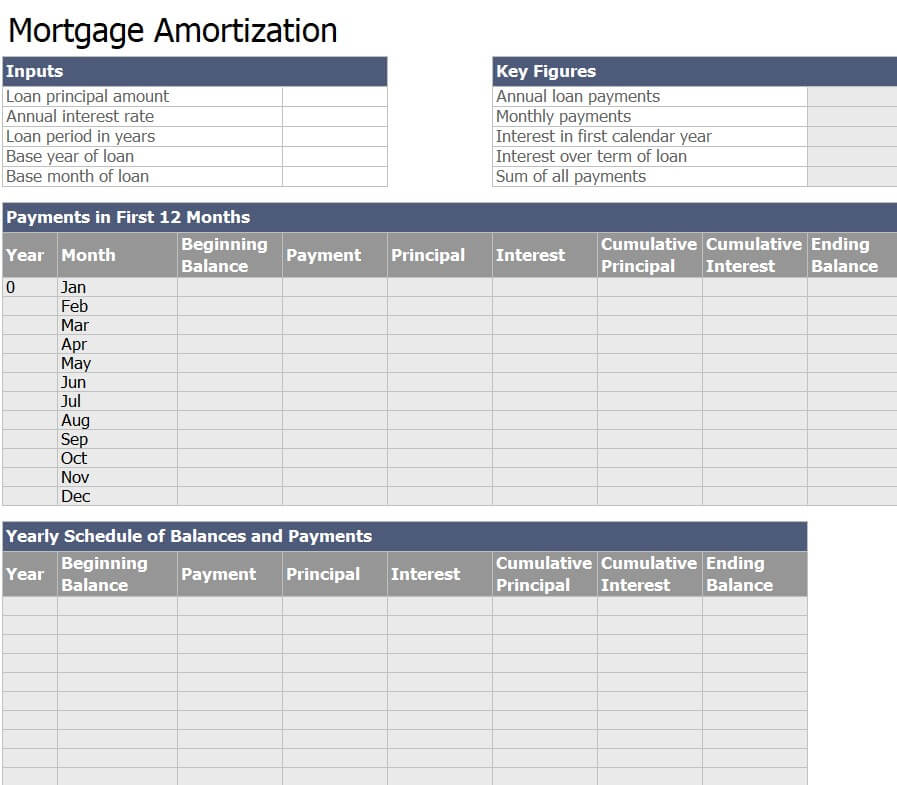
Download Mortgage Amortization Schedule Template
Loan Amortization Schedule Template
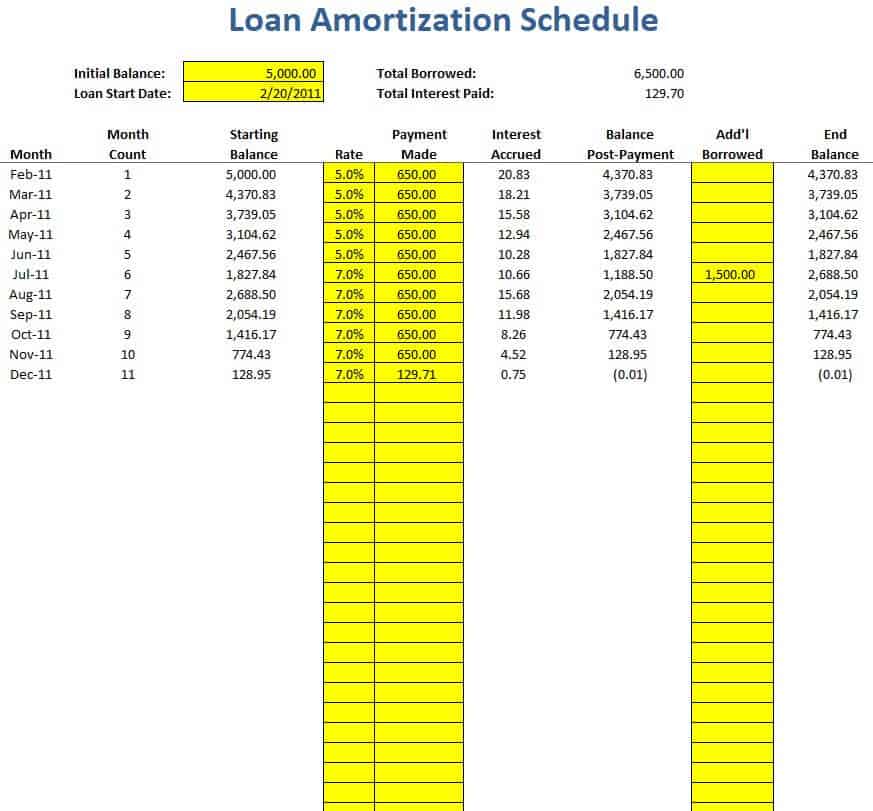
Download Loan Amortization Schedule Template
Detailed Loan Amortization Schedule Excel
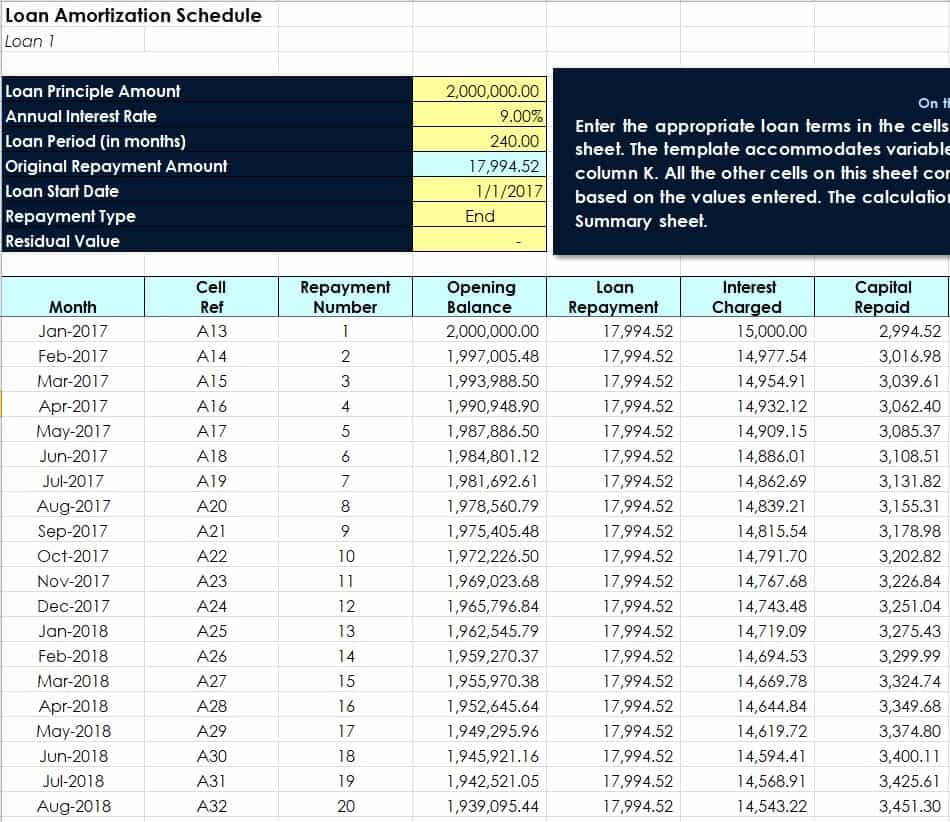
Download Detailed Loan Amortization Schedule
Annual Amortization Table Schedule Template

Download Annual Amortization Table Template
Loan Payment Schedule Excel Sheet

Download Loan Payment Schedule Excel Sheet
Sample Amortization Schedule Spreadsheet
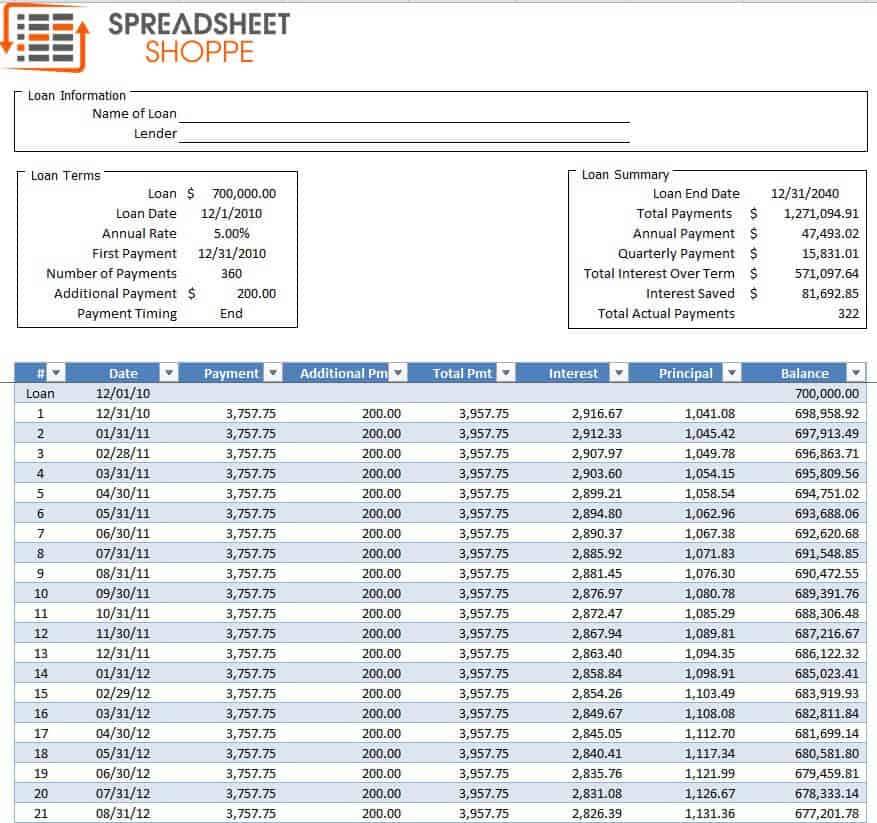
Download Sample Amortization Schedule Spreadsheet
Free Editable Amortization Schedule Example
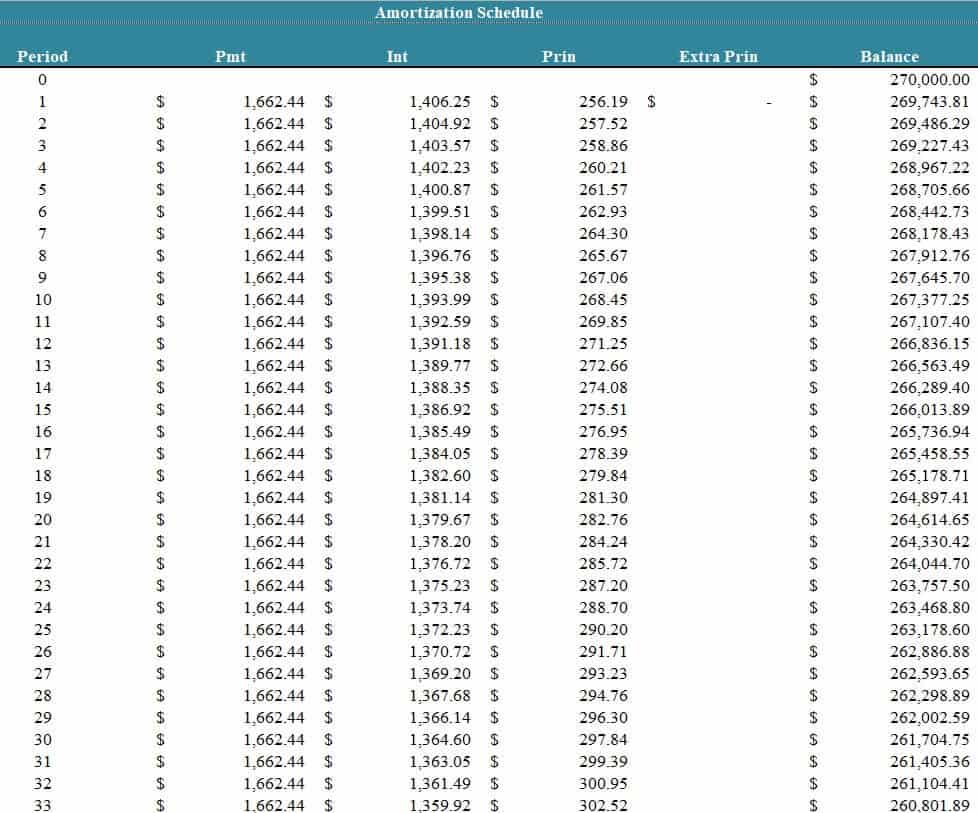
Download Editable Amortization Schedule Example
Simple Amortization Schedule Template
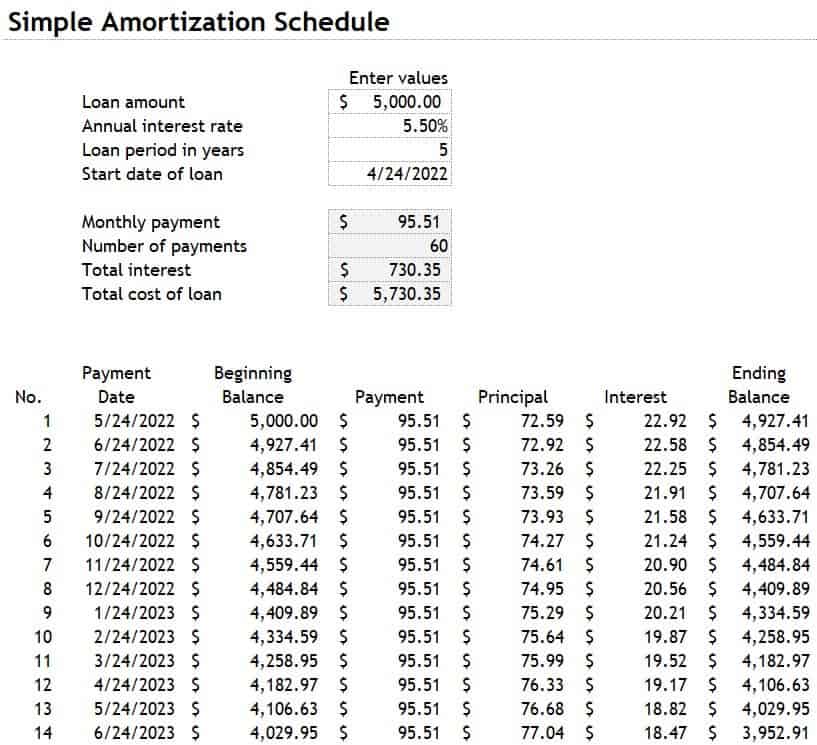
Download Simple Amortization Schedule Template
Loan Amortization Schedule Sample

Download Loan Amortization Schedule Sample
Official Loan Amortization Schedule Template

Download Official Loan Amortization Schedule
Free Printable Loan Amortization Template

Download Printable Loan Amortization Template
Loan Disbursement and Amortization Schedule

Download Loan Disbursement and Amortization Schedule
Professional Loan Amortization Schedule Template

Download Professional Loan Amortization Schedule
How to Create an Amortization Schedule in Excel
- Enter loan details. Put the loan amount, annual rate, and term in separate cells.
- Calculate the payment. Use =PMT(rate/12, years*12, -loan).
- Set up columns. Create columns for payment number, payment, interest, principal, and balance.
- Calculate interest. Multiply the previous balance by the monthly rate.
- Calculate principal. Subtract interest from the payment.
- Update the balance. Subtract principal from the previous balance.
- Fill down. Copy the formulas through the last payment. The final balance should reach zero.
Tips for Paying Off a Loan Faster
- Make extra principal payments whenever possible.
- Round payments up to the next round number.
- Consider bi-weekly payments if your lender allows them without penalty.
- Check for prepayment penalties before making large extra payments.
- Refinance only if the savings outweigh closing costs.
Frequently Asked Questions (FAQs)
What is an amortization schedule?
It is a table showing each loan payment, how much goes to interest and principal, and the remaining balance after each payment.
How do I calculate loan amortization?
Find the monthly payment with the amortization formula or Excel’s PMT function, then calculate interest as balance times monthly rate, and principal as payment minus interest.
Why is so much of my early payment interest?
Interest is charged on the outstanding balance, which is highest at the start. As the balance falls, interest shrinks and more of each payment goes to principal.
Can I use these templates for a mortgage or car loan?
Yes. They work for any fixed-rate installment loan, including mortgages, auto loans, student loans, and personal loans.
Do extra payments reduce the total interest?
Yes. Extra payments applied to principal reduce the balance sooner and lower total interest, and can shorten the loan term.
What is the difference between amortization and depreciation?
Amortization spreads out the cost of a loan or an intangible asset over time. Depreciation spreads the cost of a physical asset over its useful life.
Are these templates free?
Yes. You can download and use all 13 templates at no cost.
Final Thoughts
An amortization schedule turns a big loan into a clear, predictable plan. Choose a template above, enter your loan details, and see exactly how your debt will shrink over time.



You must be logged in to post a comment.