After a client meeting or call, memory fades quickly. A contact report captures what was discussed, what was agreed, and who is responsible for what, so nothing slips through the cracks. It is a simple habit that keeps clients happy and teams aligned.
Below are 5 free contact report templates in Word and PDF formats. Choose one, fill it in after your next meeting, and share it with your team or client.
What Is a Contact Report?
A contact report is a written summary of an interaction between your organization and a client, prospect, or partner. Advertising and marketing agencies have long used it to record decisions made in client meetings, but any business can use it. Think of it as meeting minutes designed for client relationships.
A contact report can cover in-person meetings, video calls, phone calls, and conference calls. It records the date, the people involved, the topics covered, and any follow-up actions.
Why Use a Contact Report Template?
Writing a report from scratch after every meeting is time-consuming. A template gives you a consistent structure to fill in quickly. The main benefits include:
- A clear paper trail. If a question comes up later, you can point to what was agreed and when.
- Fewer repeat meetings. When both sides see the same summary, misunderstandings are caught early.
- Better prospect management. Sales and account teams can track the history of every relationship.
- Team alignment. Colleagues who missed the meeting can catch up in minutes.
- Professional image. A prompt, well-organized report shows clients you are reliable.
What to Include in a Contact Report
A useful contact report is brief but complete. Include these items:
- Date, time, and location or call method
- Client or company name and project
- Names and roles of everyone present
- Purpose of the meeting
- Key topics discussed and decisions made
- Action items with owners and due dates
- Budget, timeline, or scope changes agreed
- Date of the next meeting or follow-up
Free Contact Report Templates
Select a template below and use the download button where a link is available.
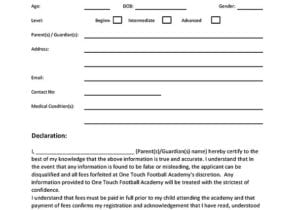
Contact Report Template 1


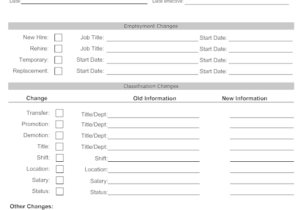
Contact Report Template 2
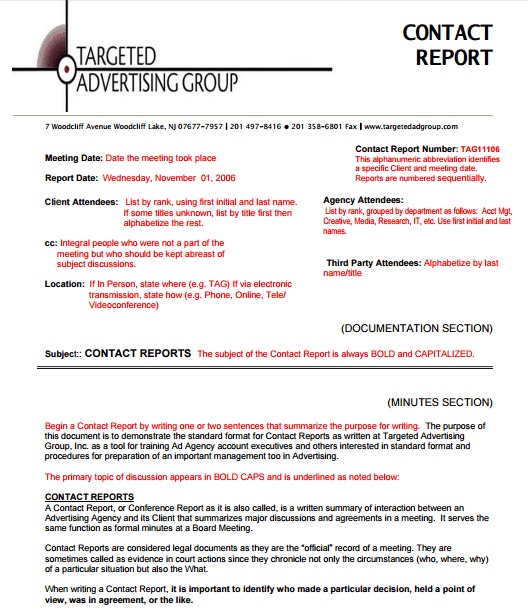
Contact Report Template 3
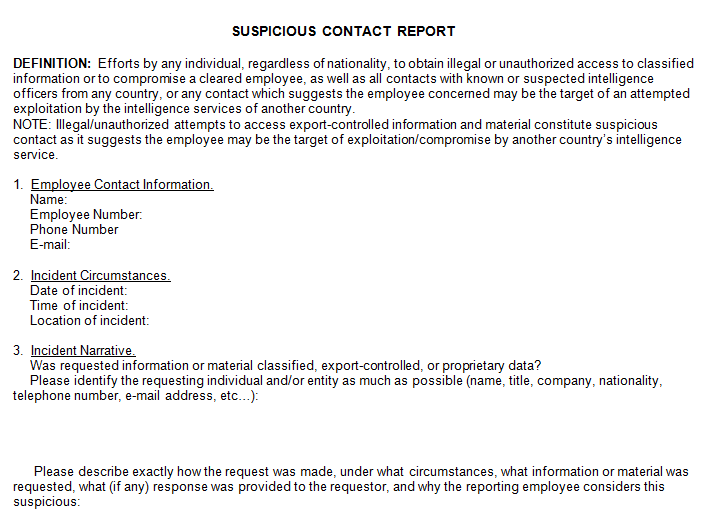
Contact Report Template 4
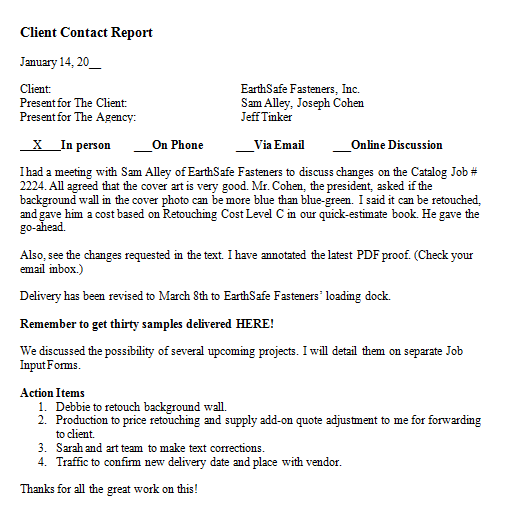
Contact Report Template 5
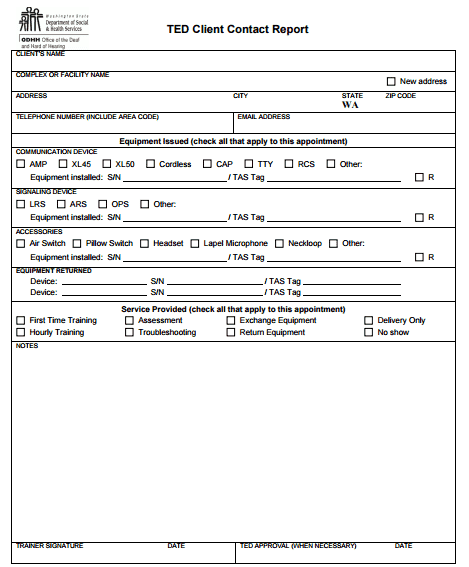
Types of Contact Reports
The right format depends on who you are meeting and why:
- Client meeting report: Summarizes an in-person or video meeting with an existing customer.
- Sales call report: Records conversations with prospects, including interest level and next steps.
- Agency contact report: Documents decisions on campaigns, budgets, and approvals between an agency and its client.
- Donor or partner contact report: Used by nonprofits to track conversations with donors and supporters.
- Case or service contact report: Logs interactions with clients in social or community services.
How to Write a Contact Report
- Choose a template in Word or PDF that fits your needs.
- Fill in the date, participants, and purpose while the meeting is fresh.
- Summarize the main points in short, clear sentences.
- List each decision and each action item, with a name and a due date.
- Review the report for accuracy and neutral wording.
- Send it to the client or team within 24 hours and ask them to flag any corrections.
- File it in a shared folder so it is easy to find later.
Tips for Better Contact Reports
- Write the report the same day, while details are still clear.
- Stick to facts and agreed decisions rather than personal opinions.
- Use bullet points for action items so they stand out.
- Keep a consistent file name, such as client name plus date.
- Ask the client to confirm the report by email to create a written record of agreement.
Frequently Asked Questions (FAQs)
What is a contact report?
A contact report is a short written summary of a meeting, call, or other interaction with a client or prospect. It records who was there, what was discussed, and what happens next.
Who uses contact reports?
Advertising agencies, consultants, sales teams, nonprofits, and service providers all use them. Anyone who needs a reliable record of client conversations can benefit.
How is a contact report different from meeting minutes?
Meeting minutes usually cover internal meetings, while a contact report focuses on interactions with clients or prospects. The structure is similar, but contact reports highlight client requests, approvals, and next steps.
How soon should I send a contact report?
Ideally within 24 hours. A quick turnaround keeps details accurate and shows professionalism.
Should the client see the contact report?
In many agencies, yes. Sharing it lets the client confirm the details and helps prevent disputes later. Your internal notes can be kept separate.
Can a contact report be used as a formal record?
It works as a helpful record of what was discussed, especially when the client confirms it in writing. It does not replace a signed contract.
Are these contact report templates free?
Yes. The templates on this page are free to view and use, and each download button leads to the original source where available.
Final Thoughts
A contact report turns every client conversation into a clear, shareable record. With one of the five templates above, you can capture the key points in a few minutes and keep everyone on the same page. Make it a habit after each meeting or call, and you will spend less time clarifying past discussions and more time delivering great work.