
A clear sales order keeps your business organized from the moment a customer says yes to the moment the goods are delivered. Whether you run a small shop, a growing wholesale company or a school fundraiser, a professional sales order template helps you record what was sold, to whom, at what price and when it should be delivered. This page offers 14 free, editable sales order templates in Word and Excel, plus a practical guide to filling them out and using them well.
What Is a Sales Order?
A sales order is a document created by the seller to confirm and authorize a customer’s order for products or services. It is usually generated in response to a purchase order sent by the customer, and it is issued before the goods are shipped or the service is performed. The sales order becomes the central record used by sales, warehouse, production, delivery and accounting teams, so everyone works from the same accurate information.
For shipped goods, ensure the item details agree with the relevant bill of lading.
Sales Order vs. Purchase Order vs. Invoice
These documents are often confused, but each has its own role. A purchase order is created by the buyer to request goods or services. A sales order is the seller’s confirmation of that request, including price, quantities and delivery terms. An invoice is the bill sent to the customer after or along with delivery, asking for payment. Using all three keeps your records clear and gives both sides proof of what was agreed.
Check the sales order against the buyer’s purchase order when one has been issued.
What Does a Sales Order Include?
- Company details: business name, logo, address, phone and email.
- Sales order number and date: a unique reference for tracking and record keeping.
- Customer information: name, billing address, shipping address and contact details.
- Purchase order reference: the customer’s PO number, if one was provided.
- Salesperson name: the person who handled the sale.
- Item description: product or service name, SKU or code, and any specifications.
- Quantity and unit price: the amount ordered and the price of each item.
- Totals: subtotal, discounts, taxes, shipping charges and final amount.
- Payment and delivery terms: due dates, payment method, delivery date and shipping method.
- Notes or signatures: special instructions and authorization if required.
Benefits of Using a Sales Order Template
- Saves time by giving you a ready-made structure instead of starting from scratch.
- Creates a professional look that builds customer trust.
- Reduces errors by prompting you for every key detail.
- Improves order tracking and makes it easier to resolve disputes.
- Helps warehouse and delivery staff see exactly what to prepare and when.
- Costs nothing compared with expensive order management software.
Free Editable Sales Order Templates
Choose the template that fits your business, click Download under the preview, unzip the file and open it in Word or Excel.
Sales Order Template WORD

Fundraiser Sales Order Template

Product Sales Order Template Excel

Company’s Sales Order Template in DOC Format

Simple Sales Order Example

Free Editable Sales Order Word Document

Printable Sales Order Template in XLSX Format

Basic Sales Order Form Format

Basic Sales Order Template Editable

Official Sales Order Template in MS WORD

Add-On Sales Order Form Excel

Professional Sales Order WORD Template

Business Sales Order Example in MS EXCEL

Standard Sales Order Template MS WORD

How to Fill Out a Sales Order Form Step by Step
- Add your business information. Enter your company name, logo, address and contact details at the top.
- Assign an order number and date. Use a sequential numbering system so every order is easy to find later.
- Enter customer details. Record the customer’s name, billing address, shipping address and phone or email.
- Reference the purchase order. If the customer sent a PO, write its number in the reference field.
- List the items. Add each product or service with a description, quantity and unit price.
- Calculate totals. Subtotal the lines, apply discounts, add tax and shipping, and confirm the final amount.
- Add terms. State payment terms, delivery dates and any special conditions.
- Review and send. Check accuracy, get any required approval, and send a copy to the customer and your internal teams.
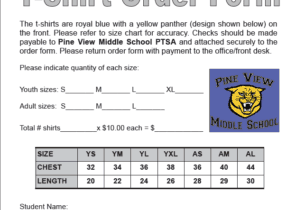
For a shirt fundraiser or group purchase, a T-shirt order form makes sizes, colors, quantities, and payment details easier to collect before combining the orders for production.
How to Make a Sales Order Form in Excel
To build your own, open a blank workbook and create a header area for your company and customer details. Below it, create a table with columns for item number, description, quantity, unit price and line total. In the line total column, use the formula quantity times unit price, then use SUM for the subtotal, add cells for tax and shipping, and calculate the grand total. Format the sheet with borders and your brand colors, then save it as a template so you can reuse it for every order. The Excel templates above already contain these formulas.
Sales Order Processing at a Glance
Sales order processing is the workflow that begins when a customer places an order and ends when payment is received. Typically, the customer sends a purchase order, the seller creates and confirms the sales order, inventory is checked, the goods are picked, packed and shipped, an invoice is issued, and payment is recorded. Using consistent templates at each stage prevents missed steps and keeps customers informed.
Use an invoice to request payment at the agreed stage of the transaction.
Tips for Better Sales Orders
- Use unique sequential order numbers and never reuse them.
- Double-check customer addresses and item codes before confirming.
- Include clear payment and return terms to avoid misunderstandings.
- Keep digital copies backed up and organized by date or customer.
- Confirm stock availability before promising a delivery date.
- Customize the template with your logo and brand colors for a professional impression.
A dependable sales order process helps you deliver on time, avoid mistakes and look professional in front of every customer. Pick a template from this collection, customize it with your business details, and use it consistently for every order. The small effort you invest now will save time and prevent headaches as your business grows.
Frequently Asked Questions (FAQs)
What is a sales order template?
A sales order template is a pre-formatted document that helps a seller record and confirm a customer’s order, including items, quantities, prices, taxes and delivery details. You simply fill in the fields for each new order.
Are these sales order templates free to download?
Yes. Every template on this page is free to download, edit and print. They are available in Word and Excel formats, so you can choose the one you find easiest to use.
What is the difference between a sales order and an invoice?
A sales order confirms the details of what a customer has ordered before delivery. An invoice is a request for payment issued after or with delivery. Both should match, but they serve different steps in the sales process.
Do I need a sales order for every sale?
It is good practice for any sale that involves delivery, credit terms or custom items. Even for small businesses, a sales order provides a clear record that protects both you and the customer if questions arise later.
Can I use these templates for services as well as products?
Yes. Replace product descriptions with service descriptions, hours and rates, and adjust the fields to match how you bill. The layout works well for both goods and services.
How do I keep track of sales orders?
Number each order sequentially and store them in a dedicated folder or an Excel log listing the order number, date, customer, amount and status. Regularly update the log so you can see which orders are pending, shipped or paid.
Can I add my company logo to the template?
Absolutely. In Word or Excel, use the Insert Picture option to place your logo in the header area, then resize it and save the file as your own reusable template.



You must be logged in to post a comment.