
A business letter is still one of the most trusted ways to communicate formally. Whether you are writing to a customer, a supplier, a manager or a government office, the letter should look polished and say exactly what you mean. Free business letter templates in Word make that easy, because the layout, spacing and structure are already done for you.
On this page you will find 17 free, editable business letter templates in Word format. Each one has a preview image and a download link, so you can pick a style, download it, replace the sample text with your own details and have a professional letter ready in minutes.
What Is a Business Letter Template?
A business letter template is a pre-formatted document that contains all the standard parts of a formal letter: the sender’s address, date, recipient’s address, salutation, body, closing and signature. Instead of building the layout from scratch every time, you open the template, type your message and send it.
Because these templates are built in Word, you can change fonts, add your company logo, adjust margins and save the finished letter as a PDF. They work for small businesses, large organizations, freelancers and students who are practicing professional writing.
Why Use Business Letter Templates?
Letter writing is common in almost every workplace because it creates a clear written record of what was said and when. A good template helps in several ways:
- Saves time: You skip the formatting and focus on the message.
- Looks professional: Consistent spacing, alignment and structure make a strong first impression.
- Reduces mistakes: Placeholders remind you to include every required detail, such as the date and recipient’s title.
- Keeps your brand consistent: Everyone in the company can use the same layout and tone.
- Easy to reuse: Save one master copy and create new letters from it whenever you need.
A trade reference template is more suitable when the recipient needs factual information about a business’s payment history.
Parts of a Business Letter
Nearly every formal letter follows the same basic order. Knowing the parts helps you fill in any template correctly.
- Sender’s information: Your name, company, address, phone number and email, often placed in a letterhead.
- Date: Write the full date, such as September 21, 2026.
- Inside address: The recipient’s name, title, company and mailing address.
- Salutation: A greeting such as “Dear Ms. Carter:” or “Dear Hiring Manager:”.
- Body: Usually two to four short paragraphs stating the purpose, giving details and explaining any action needed.
- Closing: A polite ending such as “Sincerely,” or “Best regards,”.
- Signature and enclosures: Your typed name, a handwritten signature if printed, and a note of any attachments.
Common Business Letter Formats
Most business letters use one of three layouts. The templates below include examples of the most popular ones.
- Block format: Every line is aligned to the left margin with a blank line between paragraphs. It is the most widely used and easiest to read.
- Modified block format: The date, closing and signature sit on the right side, while the body stays left aligned.
- Semi-block format: Similar to modified block, but the first line of each paragraph is indented.
For a first contact, compare the focused examples in the letter of introduction collection.
Types of Business Letters
The right template depends on why you are writing. Common types include:
- Persuasive letters that encourage a customer or partner to take action.
- Payment request letters that politely ask for an overdue invoice to be settled.
- Letters on company letterhead for official announcements and policy updates.
- Supplier letters used to place orders or ask about materials and prices.
- Personal business letters for individuals dealing with companies, such as complaints or requests.
Use complaint letter examples when the purpose is to explain a problem and request a remedy.
17 Free Business Letter Templates in Word
Choose any of the templates below. Click the download link under each preview to get the editable file.
Standard Business Letter Template

Download Standard Business Letter Template
Persuasive Business Letter Example

Download Persuasive Business Letter Example
Business Letter Format Doc

Download Business Letter Format Doc
Elegant Business Letter Template WORD

Download Elegant Business Letter Template
Sample Business Letter Format on Organization Letterhead

Download Letterhead Business Letter Format
Proper Business Letter Format in MS WORD
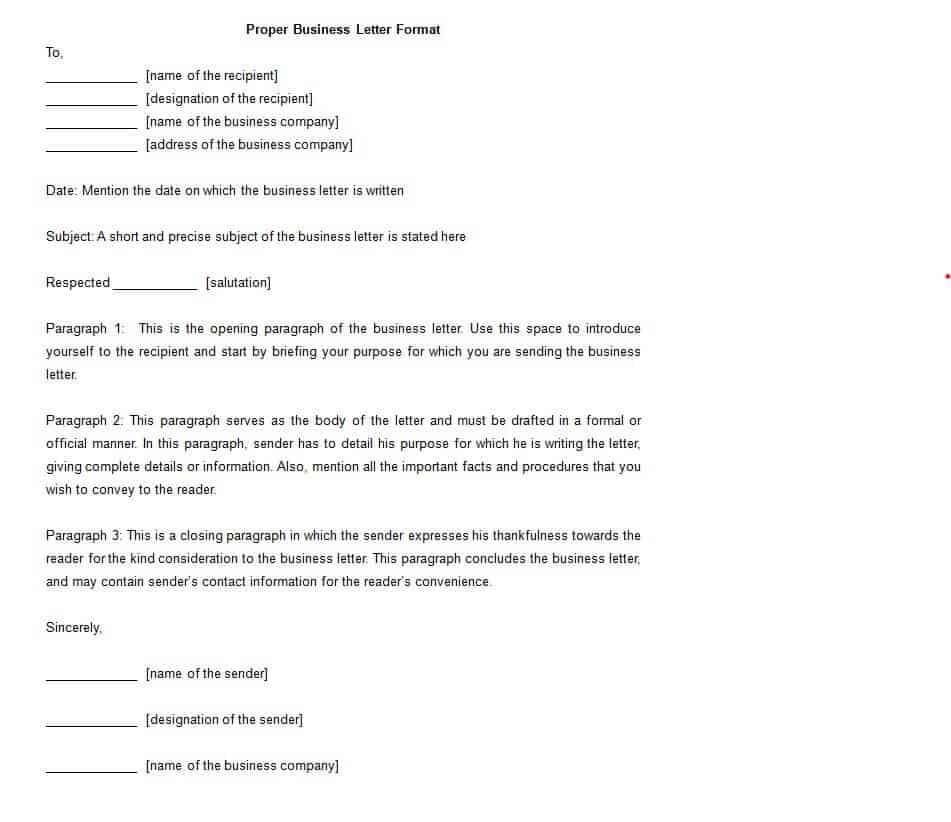
Download Proper Business Letter Format
Company’s Business Letter Template in DOC Format

Download Company Business Letter Template
Free Editable Business Letter Format

Download Editable Business Letter Format
Company’s Business Letter Sample

Download Company Business Letter Sample
Practical Business Letter Example

Download Practical Business Letter Example
Official Business Letter Format Template

Download Official Business Letter Format Template
Free Printable Business Letter Word Template

Download Printable Business Letter Template
Short Business Letter Example

Download Short Business Letter Example
Typical Business Letter Guide Template
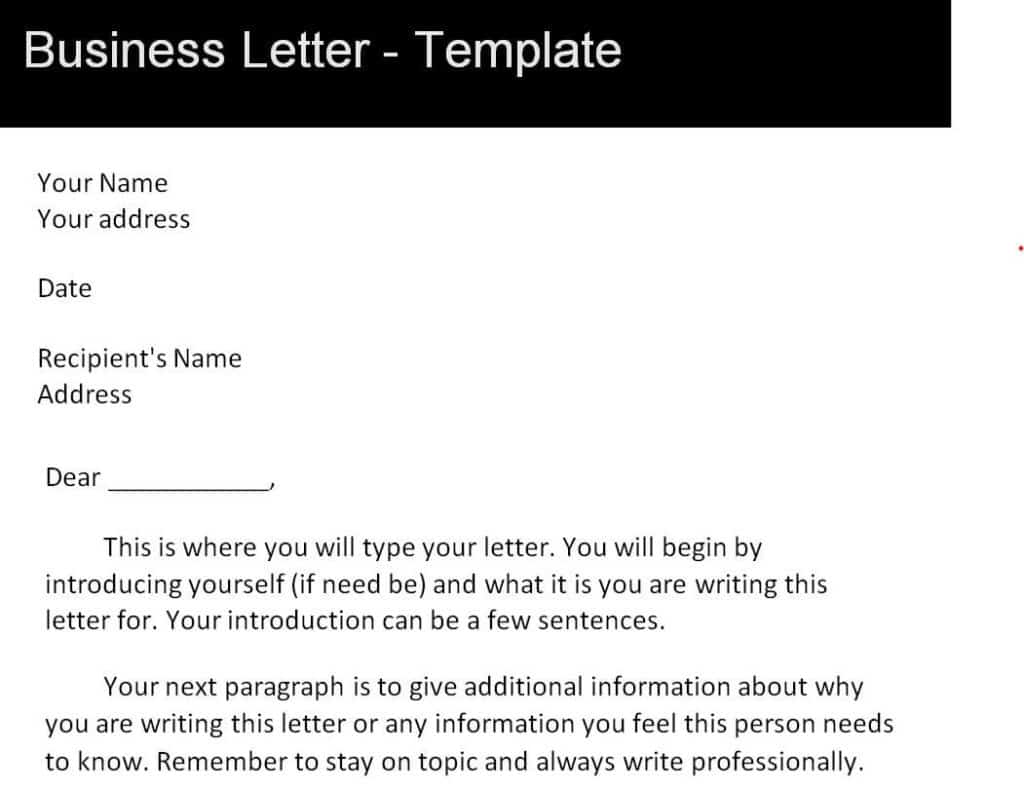
Download Typical Business Letter Guide Template
Essential Business Letter Template in WORD

Download Essential Business Letter Template
Payment Request Business Letter Example

Download Payment Request Business Letter
Personal Business Letter Format

Download Personal Business Letter Format
How to Write a Business Letter Using a Template
- Choose the template that matches your purpose and download it.
- Open the file in Microsoft Word and save a copy under a new name.
- Replace the sender and recipient details with the correct names, titles and addresses.
- Update the date and choose a suitable salutation.
- State your purpose in the first paragraph, then add supporting details in the next one or two.
- End with a clear next step, such as a deadline, a meeting request or a reply.
- Add a polite closing and your signature, then proofread carefully.
- Print it or export it as a PDF before sending.
When sending a formal letter by fax, add a fax cover sheet with the intended recipient, sender details, page count, and a brief routing note ahead of the letter.
Tips for Writing a Better Business Letter
- Keep it to one page whenever possible.
- Use a readable font such as Calibri, Arial or Times New Roman at 11 or 12 points.
- Address the reader by name and correct title.
- Use a professional but friendly tone, and avoid slang.
- Be specific about dates, amounts and reference numbers.
- Always proofread for spelling, grammar and names before you send.
A well-written business letter shows respect for your reader and protects your professional image. With these 17 free business letter templates in Word, you can skip the formatting, choose the layout that fits your purpose and send a clear, confident message. Download the one you like, customize it and save it for the next time you need it.
Frequently Asked Questions (FAQs)
What is the correct format for a business letter?
The most common format is block style. Everything is left aligned, with the sender’s address, date, recipient’s address, salutation, body paragraphs, closing and signature in that order, and a blank line between each section.
Are these business letter templates really free?
Yes. You can download every template on this page for free and edit it in Microsoft Word. There is no sign-up required.
Can I add my company logo to a template?
Absolutely. Open the template in Word, click in the header area and insert your logo using the Insert Picture option. You can then resize it and save the file as your own letterhead.
How long should a business letter be?
Aim for one page. Short, focused letters get read and answered faster. If you need more space, use an enclosure or attachment for the extra details.
What is the best closing for a business letter?
“Sincerely,” is the safest choice for most situations. “Best regards,” and “Kind regards,” are also common and slightly warmer. Use “Yours faithfully,” only if you started with “Dear Sir or Madam.”
Should I sign a business letter?
If you print the letter, leave four blank lines above your typed name and sign in ink. If you send it by email or as a PDF, a typed name or a scanned signature is usually acceptable.
Can I use these templates for email?
Yes. You can copy the body text from a template into an email and keep the same structure. Just leave out the mailing addresses and date, since email adds those automatically.


You must be logged in to post a comment.