A bill of materials (BOM) is one of the most important documents in manufacturing, construction, electronics, and product development. It lists every raw material, part, component, and assembly needed to build a finished product, along with exact quantities. If you are starting a business or launching a new product, a well-organized BOM keeps purchasing, production, and costing accurate from day one.
The free bill of materials templates below give you a ready-made structure, so you can build a professional BOM on your computer without expert help. Download one, replace the sample data with your own parts, and you have a working document in minutes.
What Is a Bill of Materials (BOM)?
A bill of materials is a detailed, structured list of everything required to manufacture, assemble, or repair a product. It is the single source of truth shared between engineering, purchasing, production, and finance teams. A BOM typically appears as a hierarchical list or chart: the finished product sits at the top, and the sub-assemblies, individual components, and raw materials sit at the levels below it.
A clear BOM helps you order the right quantities, estimate production costs, avoid delays caused by missing parts, and keep every department working from the same information.
Types of Bill of Materials
- Engineering BOM (EBOM): Created by designers and engineers, it reflects the product as designed, including parts, drawings, and specifications.
- Manufacturing BOM (MBOM): Lists everything needed to actually build the product, including packaging and consumables used on the production line.
- Sales BOM: Used for products sold as a kit or bundle, so orders pull the correct items.
- Single-level BOM: A simple flat list of components used to make one product.
- Multi-level BOM: A hierarchical list that shows assemblies, sub-assemblies, and components at every level.
Download Free Bill of Materials Templates
Each template below has a preview image and a download button. Click the button to open or save the template.
Bill of Materials Template 1
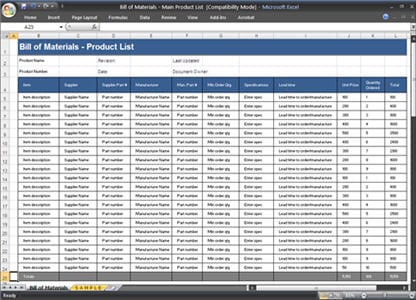

Bill of Materials Template 2

Bill of Materials Template 3
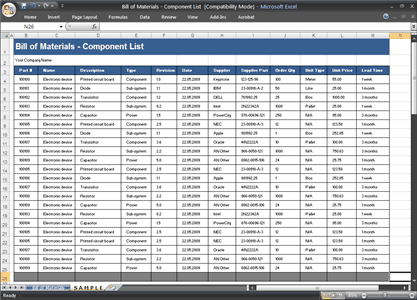
Bill of Materials Template 4
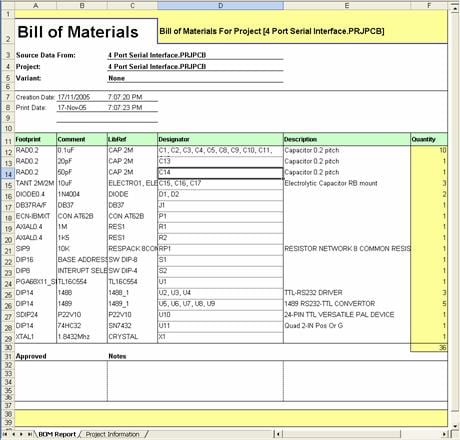
Bill of Materials Template 5
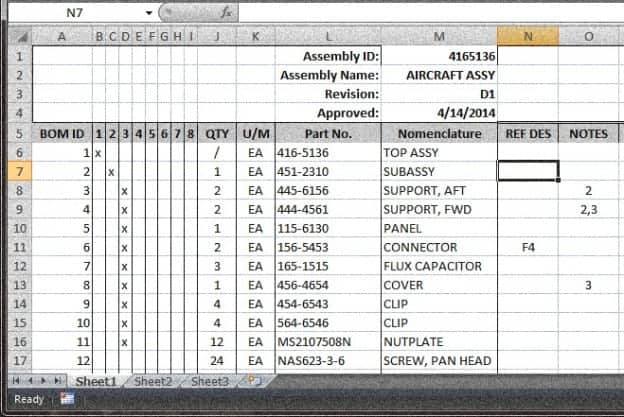
Bill of Materials Template 6
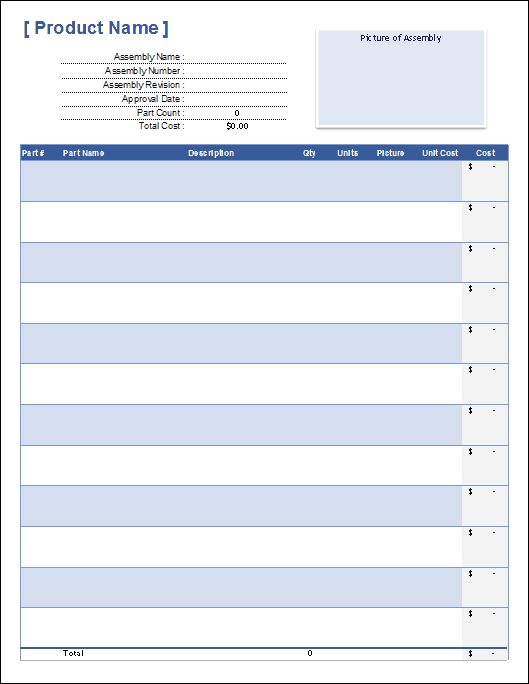
Bill of Materials Template 7
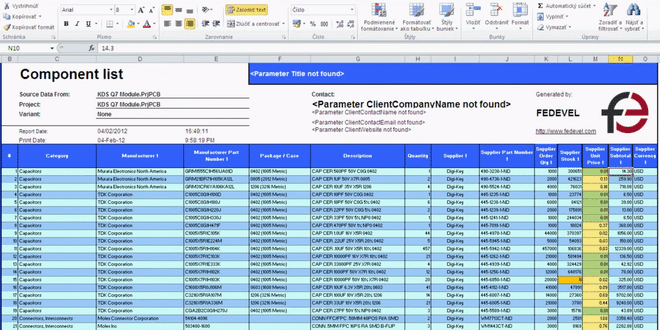
What to Include in a Bill of Materials
A complete BOM usually contains the following columns or fields. You can add or remove fields depending on your industry:
- BOM level: Shows where each item sits in the hierarchy (0 for the finished product, 1 for a main assembly, and so on).
- Part number: A unique identifier for every item so it can be tracked and reordered.
- Part name and description: A clear, short description of the item.
- Quantity: The amount of each item required for one finished product.
- Unit of measure: Pieces, feet, pounds, liters, or another unit.
- Unit cost and total cost: Useful for pricing and budgeting.
- Supplier or vendor: Where you buy the part, ideally with a backup source.
- Procurement type: Whether the part is made in-house or purchased.
- Revision and notes: Change history, tolerances, or special instructions.
How to Create a Bill of Materials Step by Step
Step 1: Define the Finished Product
Start with the final product and give it a name and part number. Decide whether you need a simple single-level list or a multi-level BOM with sub-assemblies.
Step 2: List Every Component and Raw Material
Break the product down into assemblies, parts, and materials. Include small items like screws, labels, glue, and packaging, because forgotten items cause production delays.
Step 3: Assign Part Numbers
Use a consistent numbering system. Unique part numbers prevent confusion between similar items and make inventory tracking simple.
Step 4: Add Quantities, Units, and Costs
Enter the exact quantity needed per unit of finished product and the cost of each item. Multiply quantity by unit cost to get the line total, then add all lines for the material cost of the product.
Step 5: Record Suppliers and Lead Times
Note where each part comes from and how long it takes to arrive. This helps purchasing plan orders before production starts.
Step 6: Review, Approve, and Update
Have engineering and production check the list, then approve it. Every time a part or supplier changes, update the BOM and record the new revision number.
Benefits of Using a BOM Template
- Saves time: You start with a proven layout rather than a blank page.
- Reduces errors: Standard columns ensure nothing important is missed.
- Improves cost control: Accurate cost columns show exactly what each product costs to build.
- Streamlines purchasing: Buyers can order the correct materials in the correct quantities.
- Supports quality and compliance: A documented BOM makes audits, recalls, and repairs easier.
Tips for Managing Your BOM
- Keep one master copy and control who can edit it.
- Use revision numbers and dates for every change.
- Review your BOM whenever a supplier, price, or design changes.
- Add alternate parts in case the main component is out of stock.
- Match your BOM part numbers with your inventory system.
Frequently Asked Questions (FAQs)
What is a bill of materials used for?
A BOM is used to plan production, order materials, calculate product cost, and communicate exactly what goes into a product to everyone involved in making it.
What is the difference between a BOM and a parts list?
A parts list simply names the parts. A BOM adds structure: quantities, hierarchy, units, costs, suppliers, and revision control.
Can I make a bill of materials in Excel or Word?
Yes. Excel is the most popular choice for small businesses because it calculates totals automatically. Word or PDF layouts work well for simple products or documentation.
What is the difference between a single-level and multi-level BOM?
A single-level BOM lists only the direct components of a product. A multi-level BOM shows every assembly and sub-assembly down to raw materials, which is better for complex products.
Who creates and maintains the BOM?
Engineers usually create the first version. Production, purchasing, and operations teams then maintain it as parts, suppliers, and processes change.
Are these bill of materials templates free?
Yes. Each template on this page is free to view and download. Customize the columns and sample data to match your own product.
How often should I update my BOM?
Update it every time a design, part, supplier, or cost changes, and review it at least once a year even if nothing seems different.
You must be logged in to post a comment.