Whether you are running a local club match, a school tournament, or a weekend game with friends, a good scoresheet keeps the story of the match in one place. It records every run, wicket, and over so anyone can check the result later. With a ready-made template you can skip the design work and get straight to scoring.
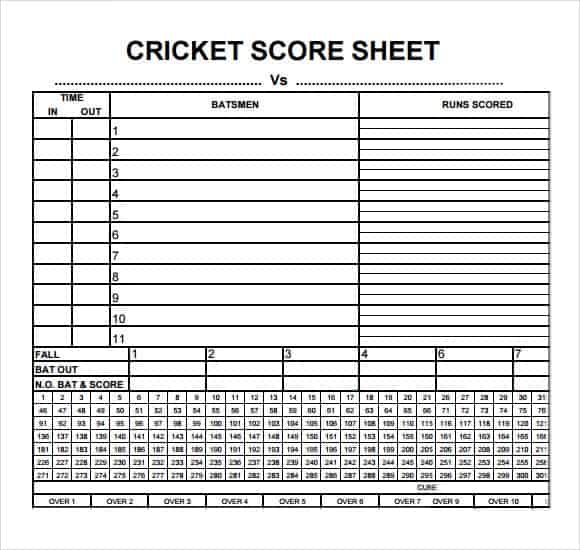
Below are 4 free cricket score sheets you can print for your next match. They are simple to use, clear to read, and free to download, and they work for club games, school fixtures, and friendly matches alike.
What Is a Cricket Score Sheet?
A cricket score sheet is a form used to record everything that happens in a cricket match. Scorers track each ball, noting runs scored, extras, wickets, and bowlers. At the end of the innings, the sheet shows the totals for each team and helps determine the winner.
Cricket is played between two teams of eleven players, and the team that scores more runs wins. Because a match can involve hundreds of deliveries, an organized sheet is essential for accuracy. A tidy scorebook also lets players, coaches, and league officials review performances long after the game is over.
Why Use a Cricket Score Sheet Template?
- Ready to print. No need to draw columns and boxes by hand before the match.
- Clear structure. Batting, bowling, and extras sections make it easy to record data quickly.
- Accurate totals. Excel versions can add up runs and wickets automatically, reducing mistakes.
- Official records. Clubs and leagues can keep sheets on file as proof of results.
- Saves time and money. You do not have to hire a designer or spend hours building a form.
What to Include on a Cricket Score Sheet
Most score sheets contain the following sections:
- Match details: teams, date, venue, and tournament name
- Toss result and who chose to bat or bowl
- Batting order with each batter’s name, runs, balls faced, and how they were out
- Columns for singles, fours, and sixes
- Extras: wides, no-balls, byes, and leg byes
- Fall of wickets and running total
- Bowling figures: overs, maidens, runs, and wickets
- Final result and umpire and scorer signatures
Free Cricket Score Sheets
Choose a sheet below and use the download button to get the file.
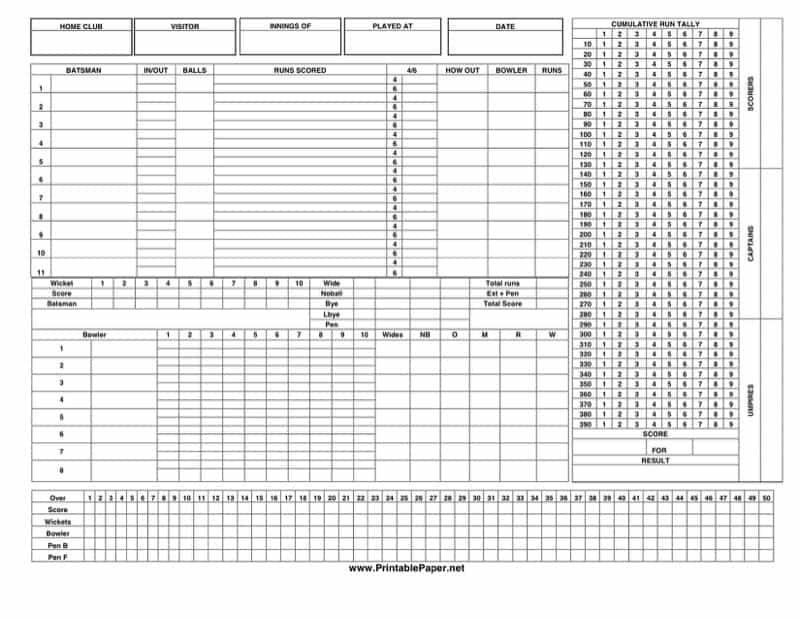
Cricket Score Sheet 1

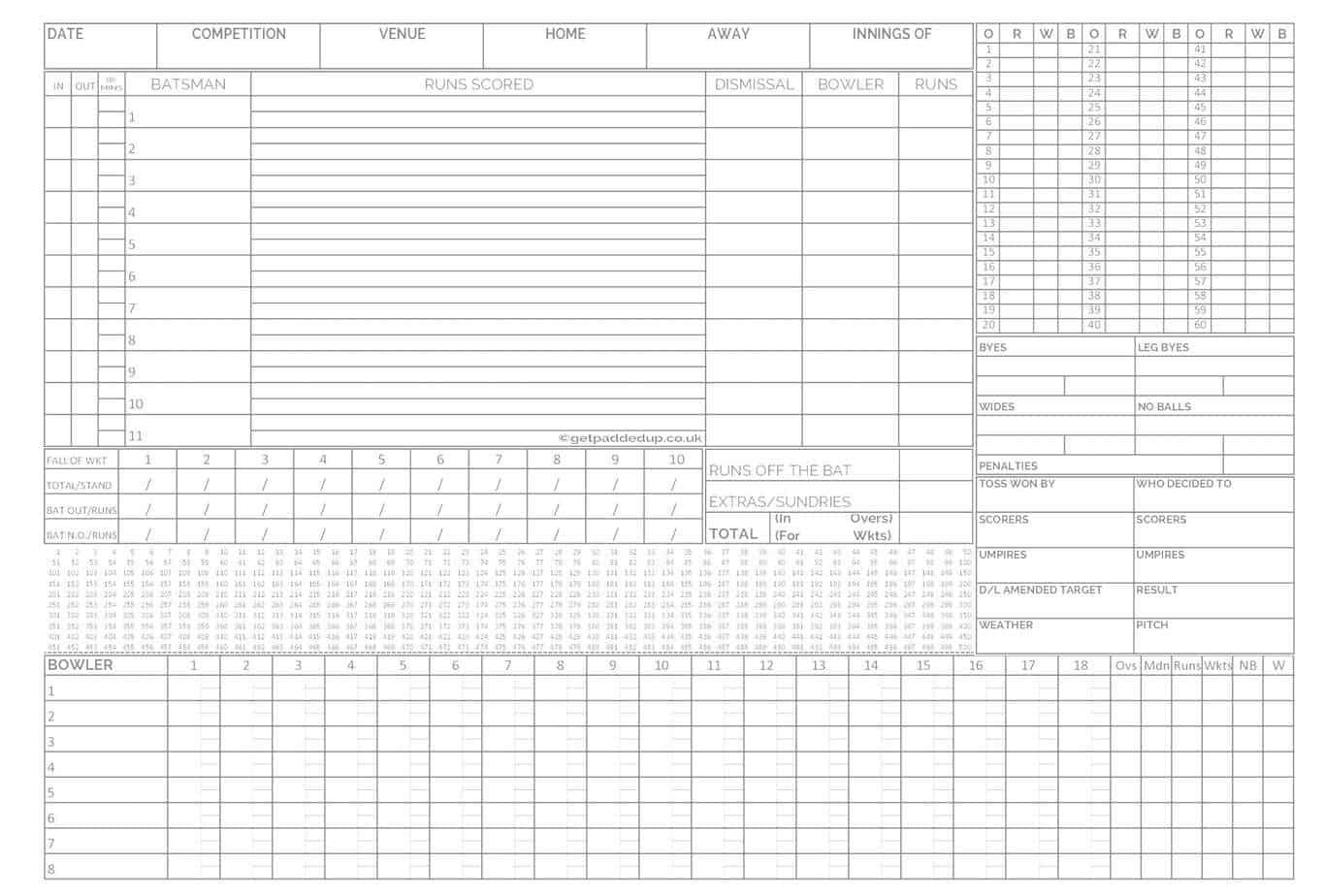
Cricket Score Sheet 2
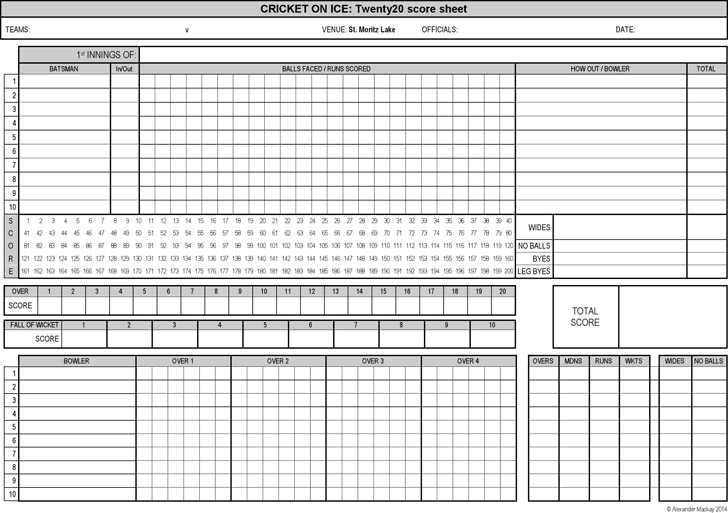
Cricket Score Sheet 3
Cricket Score Sheet 4
Types of Cricket Score Sheets
- Full match scorebook: Records every ball of both innings in detail.
- Summary score sheet: Captures totals, top performers, and result without ball-by-ball data.
- Limited-overs sheet: Built for T20 and one-day formats with a set number of overs.
- Tournament sheet: Tracks results and points across several matches.
- Excel scorer: A spreadsheet with formulas that calculate totals and averages automatically.
Common Scoring Symbols
Scorers use a simple shorthand so each ball fits in a small box. Learning it makes scoring much faster:
- Dot (.) or a dash for a ball with no runs
- 1, 2, 3 for runs run by the batters
- 4 and 6 for boundaries, often circled or highlighted
- W for a wicket
- Wd for a wide and Nb for a no-ball
- B and Lb for byes and leg byes
Agree on your symbols with the other scorer before the match, especially if two people are keeping separate books.
How to Fill In a Cricket Score Sheet
- Write the team names, date, venue, and toss result at the top.
- List the batting order and the bowlers’ names.
- Record each delivery: a dot for no run, the number for runs, W for a wicket, and letters for extras.
- Update the batter’s runs and the team total after each ball or over.
- Note the fall of each wicket with the score and batter’s name.
- At the end of the innings, total the runs, extras, and wickets.
- Repeat for the second innings and record the final result.
Tips for Accurate Scoring
- Print several copies so you never run out during a tournament.
- Use a pencil for easy corrections.
- Agree with the umpires on signals for boundaries, wides, and no-balls.
- Check the running total against the scoreboard at the end of each over.
- Store completed sheets safely for league records.
- Sit where you can clearly see the umpires’ signals and the bowler’s end.
Frequently Asked Questions (FAQs)
What is a cricket score sheet?
It is a form that records the runs, wickets, extras, and bowling figures of a cricket match so the final result can be verified.
Can I use these score sheets for T20 matches?
Yes. The layouts work for any format. For shorter games you will simply fill fewer overs.
Do I need Excel to use these templates?
No. The PDF sheets can be printed and filled by hand. Excel is helpful if you want automatic totals.
How do you record a wicket in a scorebook?
Mark a W on the ball, then write the batter’s name, how they were out, and the team score in the fall-of-wickets section.
What are extras in cricket?
Extras are runs not scored off the bat, including wides, no-balls, byes, and leg byes. They are added to the team total.
How many players are on a cricket team?
A team has eleven players, so most sheets include eleven batting lines per side.
Are these cricket score sheets free?
Yes, all sheets on this page are free to download and print.
Final Thoughts
A tidy cricket score sheet makes every match easier to follow and every result easier to trust. Download one of the four sheets above, print a few copies, and take them to your next game. With clear columns and a little practice, scoring becomes second nature.