A critical path template helps project managers see which tasks control the finish date of a project and which tasks have room to slip. This page offers more than eight free critical path method (CPM) templates and examples in Excel, PowerPoint, and image formats, along with a simple guide to the terminology, the step-by-step process, and practical tips for using the critical path in real projects.
Whether you manage construction, software, events, manufacturing, or a small internal project, the templates below give you a ready-made structure you can edit with your own tasks, durations, and dependencies.
What Is the Critical Path Method?
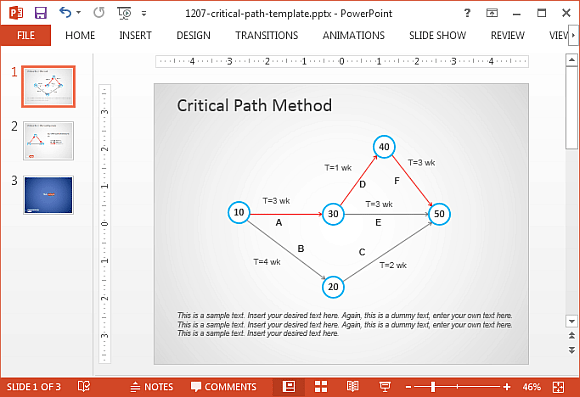
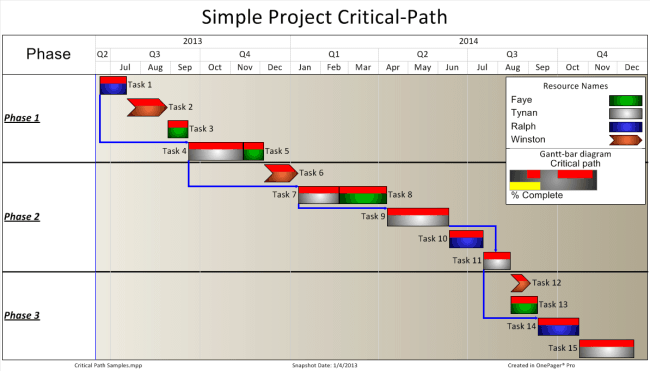
The critical path method is a scheduling technique used to plan a project by mapping every task, estimating how long each one takes, and identifying how the tasks depend on one another. The critical path is the longest sequence of dependent tasks from start to finish. Because it is the longest chain, it determines the shortest possible project duration. If any task on the critical path is delayed, the entire project finish date is delayed as well, unless you speed up other work.
Tasks that are not on the critical path have float, also called slack. Float is the amount of time a task can be delayed without affecting the project deadline. Knowing where the float is helps managers move people and resources to the work that matters most.
Free Critical Path Templates Are Here
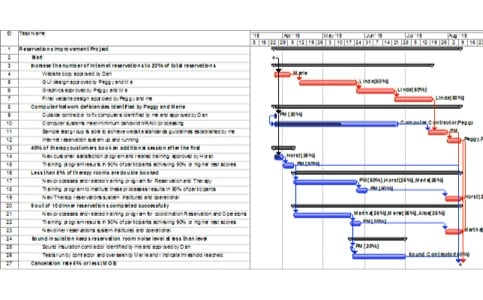
Select a template below and use its download button. Some open in PowerPoint or Excel, and others link to helpful guides and worksheets from external sites.


Key Critical Path Terms You Should Know
- Activity or task: A piece of work with a start and an end.
- Duration: How long the task takes, in hours, days, or weeks.
- Dependency: A relationship that says one task cannot start or finish until another does.
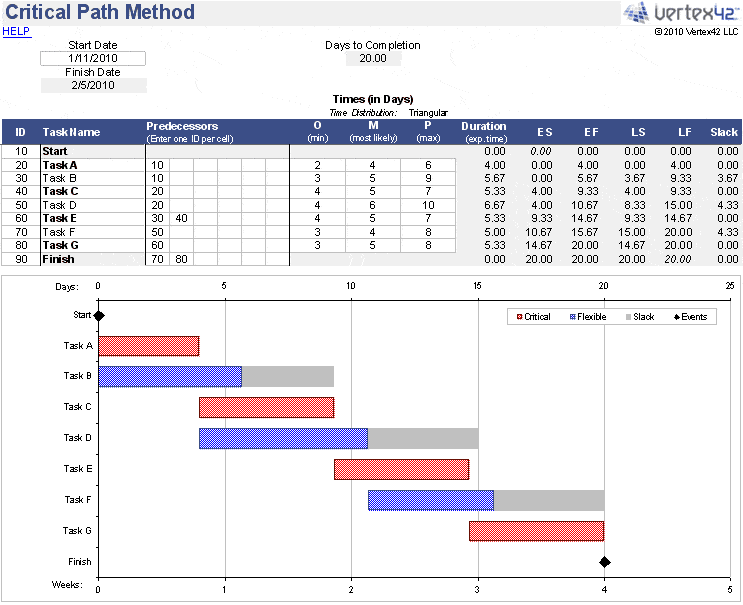
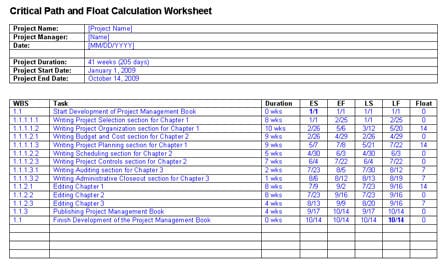
- Early start (ES) and early finish (EF): The earliest possible dates for a task.
- Late start (LS) and late finish (LF): The latest dates a task can begin or end without delaying the project.
- Float (slack): LS minus ES, or LF minus EF. Zero float means the task is critical.
- Milestone: A key checkpoint with zero duration, such as “design approved.”
How to Find the Critical Path Step by Step
- List all tasks. Break the project into clear activities using a work breakdown structure.
- Estimate durations. Ask the people doing the work for realistic time estimates.
- Identify dependencies. Decide which tasks must finish before others start.
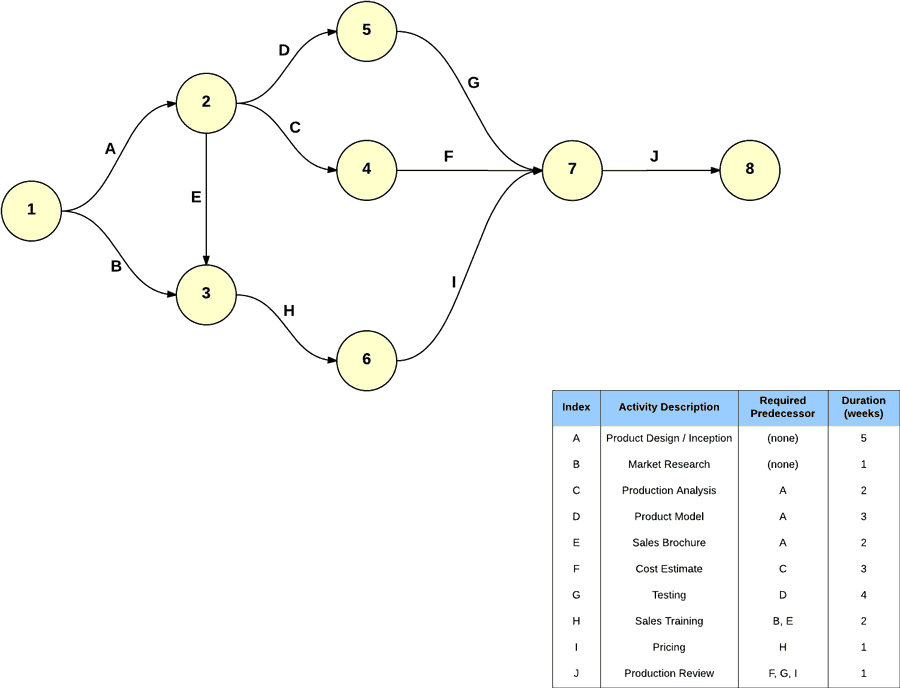
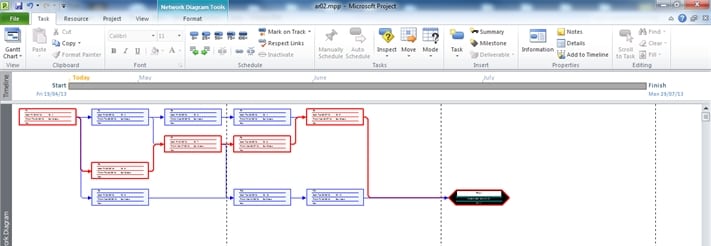
- Draw the network. Build a diagram or table showing how tasks connect.
- Do the forward pass. Calculate the early start and early finish for each task, moving from start to finish.
- Do the backward pass. Calculate the late start and late finish, moving from finish back to start.
- Calculate float. Tasks with zero float form the critical path.
- Monitor and update. Recalculate whenever durations or dependencies change.
Simple Critical Path Example
Imagine a small website launch. Task A, planning, takes 3 days. Task B, design, takes 5 days and can start after A. Task C, content writing, takes 4 days and can also start after A. Task D, development, takes 6 days and needs B to finish. Task E, testing and launch, takes 2 days and needs both C and D. The path A, B, D, E totals 3 + 5 + 6 + 2 = 16 days. The path A, C, E totals 3 + 4 + 2 = 9 days. The longest path, A-B-D-E at 16 days, is the critical path. Content writing (C) has 7 days of float, so a small delay there will not affect the launch date, but a one-day delay in design will.
Benefits of Using a Critical Path Template
A template saves time and makes your plan easier to explain to stakeholders. It shows which tasks need close attention, supports better resource planning, and helps you decide where to add people or shorten tasks (called crashing) if the project is running late. It also makes risks visible early, since anything on the critical path deserves the most careful monitoring.
Tips for Using Critical Path Templates Well
Keep tasks small enough to manage, usually between one day and two weeks. Avoid unnecessary dependencies, since they can lengthen the critical path. Update the schedule weekly, because the critical path can shift when tasks finish early or late. Share the plan with the team so everyone understands which tasks are urgent. For large projects, consider project management software, but for many small and medium projects, an Excel or PowerPoint template is perfectly effective.
Critical Path Template FAQs
What is a critical path template?
It is a pre-built diagram or table that helps you list tasks, durations, and dependencies to find the longest path in a project schedule.
Can I edit these critical path templates?
Templates in PowerPoint and Excel formats can be edited directly. Other links lead to external guides and examples.
What is the difference between CPM and PERT?
CPM uses fixed time estimates, while PERT uses three estimates (optimistic, likely, and pessimistic) to handle uncertainty. Both use network diagrams.
Can a project have more than one critical path?
Yes. If two or more paths have the same total duration, all of them are critical.
What does zero float mean?
A task with zero float cannot be delayed without delaying the project finish date.
How often should I update the critical path?
Review it at least weekly and whenever a task changes significantly.
Do I need special software?
No. You can calculate a critical path in Excel or by hand for small projects, though tools like Microsoft Project can automate larger plans.



You must be logged in to post a comment.