
A potluck sign up sheet helps guests see what is already covered before choosing a dish. Record the event details, contributor, dish, approximate servings, and anything the host needs to arrange for serving or reheating.
2 New Editable Templates with Previews
Choose a layout for the task you need to complete. Each preview shows the actual editable Word and Excel file. Download the template and replace the placeholders or example inputs with your own details.
Potluck Dietary Information Sign Up
Coordinate contributions and collect ingredient information directly from contributors.
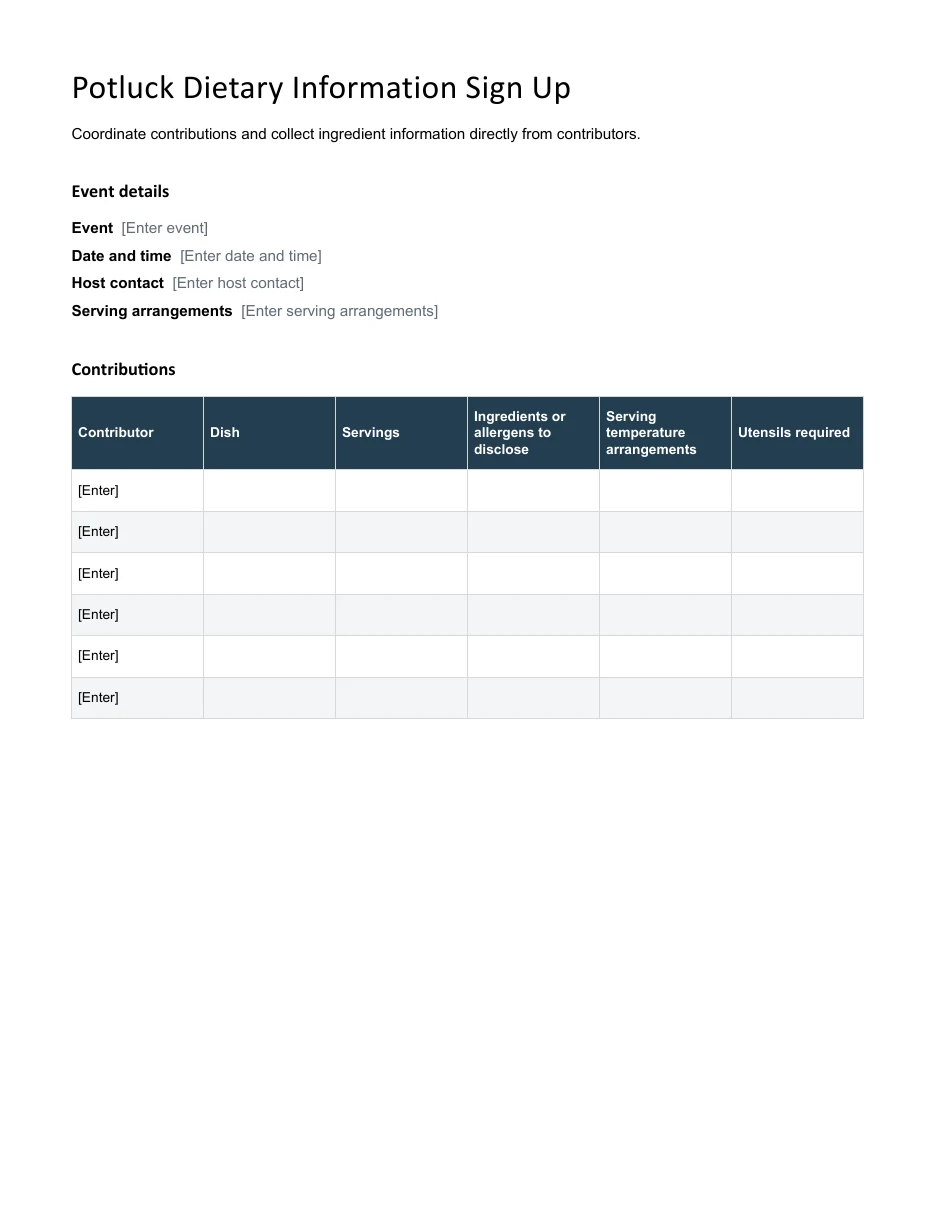
Download Editable Word Template
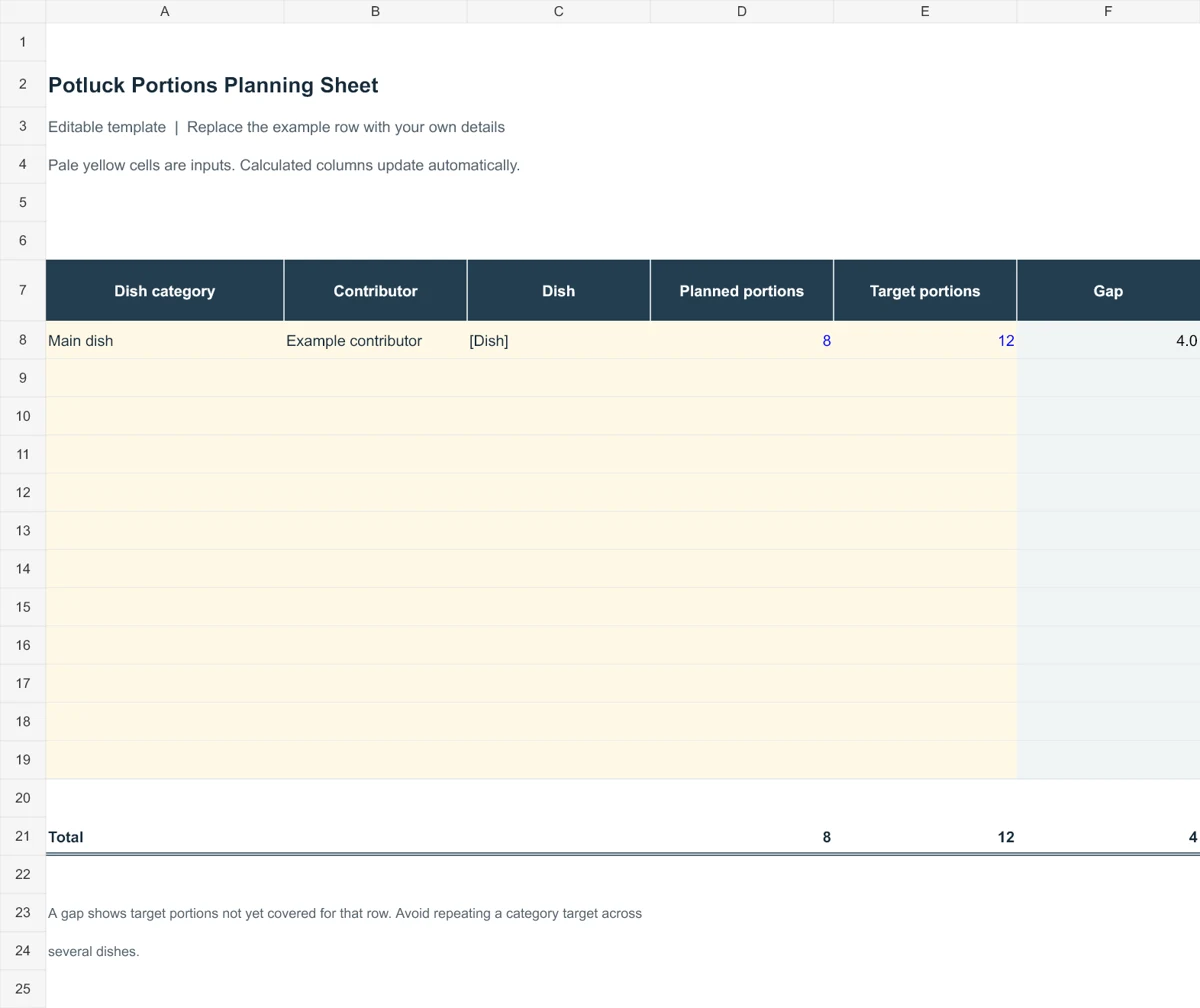
Potluck Portions Planning Sheet
Compare planned portions with a target to help coordinate dishes. A gap shows target portions not yet covered for that row. Avoid repeating a category target across several dishes.
Use the templates below for a workplace lunch, family gathering, school event, or community meal. Set broad categories first, then leave room for guests to describe what they actually intend to bring. A final check of portions, serving utensils, and late changes is more useful than a long list of dishes with no indication of how many people they will feed.
Go to the two editable templates and preview images and read the practical guidance below.
What Is a Potluck Sign Up Sheet?
A potluck is a gathering where each guest brings a dish to share. A sign up sheet is a simple table listing guest names, the dish or item they are bringing, and often extra details such as serving size, allergies, or contact information. The organizer can place it on a table, pass it around a workplace, or share it digitally so everyone can add their contribution.
A simple menu can label the final selection once everyone has signed up.
Why You Need a Potluck Sign Up Sheet
- Avoid duplicate dishes: Guests can see what has already been taken.
- Balance the menu: Make sure there are enough appetizers, main dishes, sides, drinks, and desserts.
- Handle dietary needs: Note vegetarian, gluten-free, nut-free, or other options.
- Estimate the crowd: Count how many people are attending and how much food to expect.
- Save time: One clear list replaces dozens of text messages and emails.
2 Editable Templates with Direct Downloads
Choose one of the two layouts below to suit your needs. Each preview shows the actual editable file, which you can download directly.
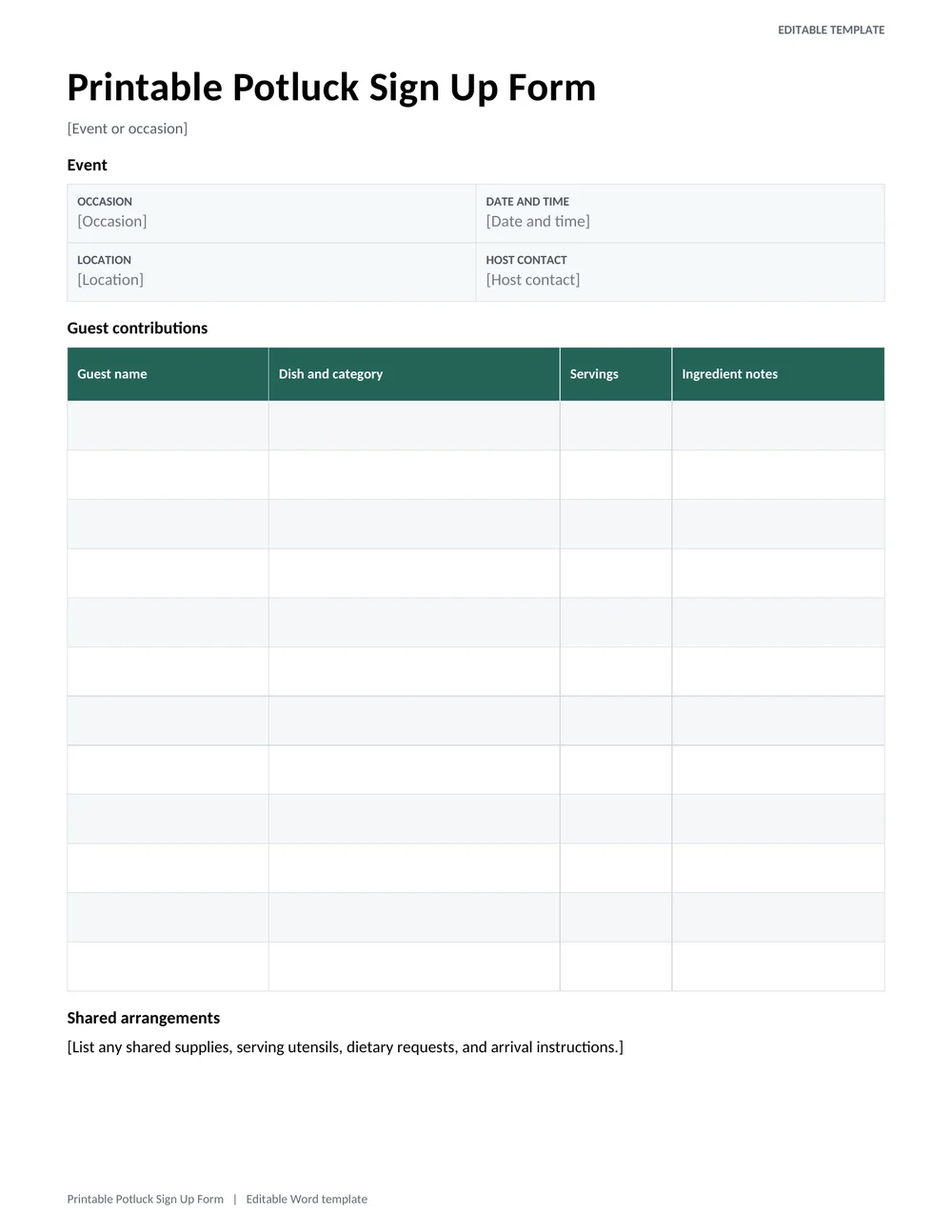
Printable Potluck Sign Up Form
A host-ready signup sheet with dish categories, servings, ingredient notes, guest names, and a shared event header.
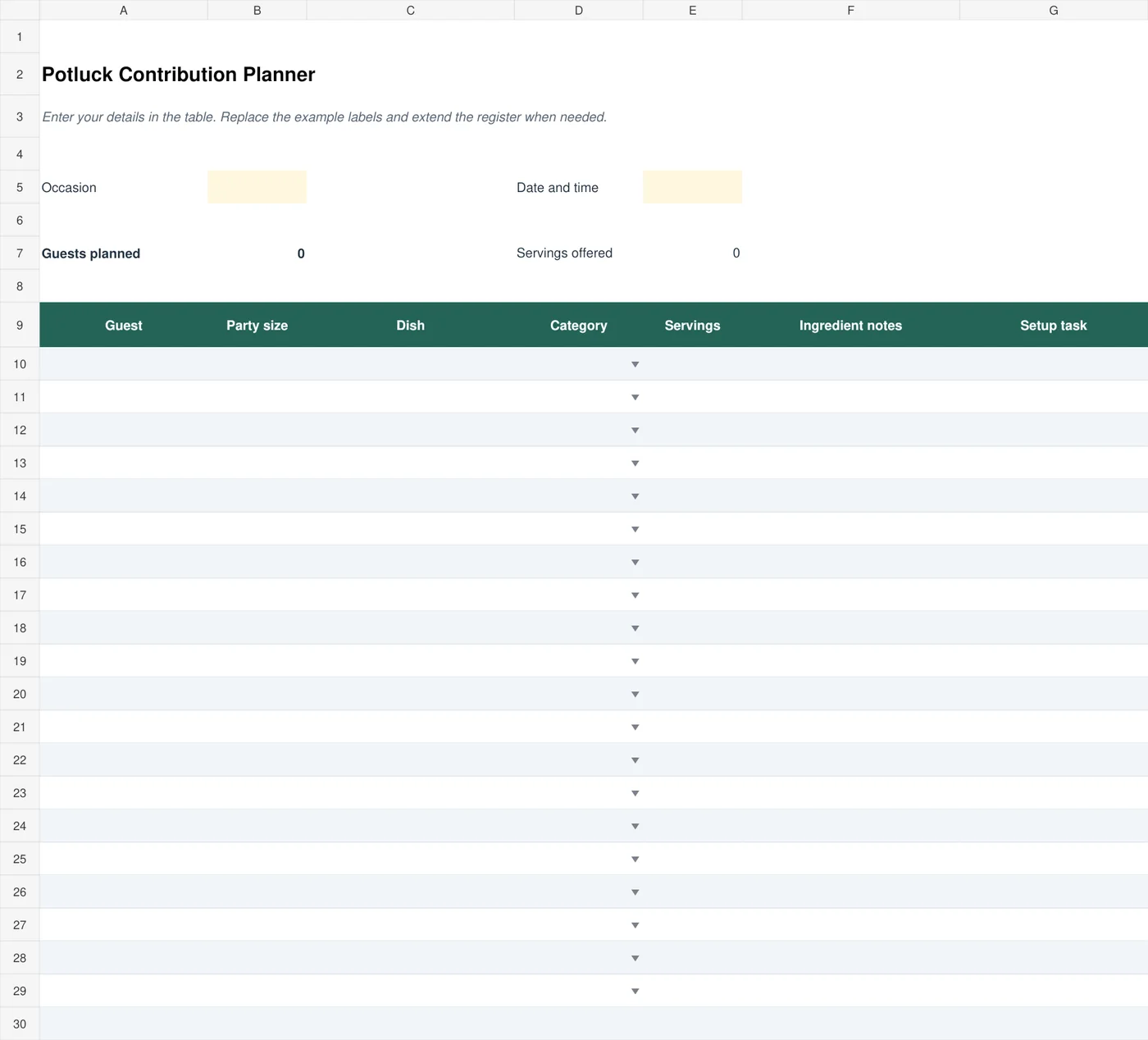
Potluck Contribution Planner
Coordinate contributors, dish types, guest numbers, servings, and setup responsibilities in a shared planning workbook.
What to Include on a Potluck Sign Up Sheet
- Event details: Event name, date, time, and location at the top.
- Guest name: Who is bringing the dish.
- Dish or item: The name of the food, drink, or supply.
- Category: Appetizer, main dish, side, salad, dessert, drink, or paper goods.
- Serving size: How many people the dish will feed.
- Allergy or diet notes: Vegan, vegetarian, gluten-free, dairy-free, or contains nuts.
- Contact information: A phone number or email in case plans change.
- Serving needs: Whether the dish needs an oven, a fridge, or a serving spoon.
Ask contributors to use recipe cards when sharing recipes or ingredient information.
How to Organize a Potluck Step by Step
Step 1: Pick a Date, Place, and Theme
Choose a time and location that works for most guests. A theme such as Mexican night, breakfast, holiday, or picnic makes it easier for guests to decide what to cook.
Step 2: Set Up Categories
Break the menu into categories and set a target for each. For example, for 20 guests you might want four appetizers, five main dishes, five sides, three desserts, and drinks.
Step 3: Share the Sign Up Sheet
Print the sheet and hang it in a shared area, or send it as a file or a shared spreadsheet. Ask everyone to sign up at least a week before the event.
Step 4: Plan Supplies
Cover items that guests will not bring: plates, cups, napkins, utensils, ice, and serving spoons. Ask a few guests to bring them if needed.
Step 5: Send a Reminder
A day or two before the event, remind guests what they signed up for and confirm the time and location.
Combine the agreed dishes into a shopping list for any shared supplies the host is buying.
Potluck Dish Ideas by Category
- Appetizers: Veggie tray with dip, deviled eggs, sliders, chips and salsa.
- Main dishes: Baked ziti, chicken casserole, meatballs, chili, or pulled pork.
- Sides and salads: Potato salad, coleslaw, mac and cheese, or roasted vegetables.
- Desserts: Brownies, fruit salad, cookies, or a simple sheet cake.
- Drinks: Lemonade, iced tea, sparkling water, or juice.
Balancing the Menu Without Overcomplicating Sign-Up
A potluck sign up sheet helps the host see what is coming before guests arrive. Instead of asking everyone to bring “a dish,” divide the menu into useful categories such as mains, sides, desserts, drinks, and serving supplies. Keep the categories flexible enough for the group. A lunch for a small office needs a different balance from an evening gathering where families bring children and stay for several hours.
The printable form above is convenient when people can sign up in a common area. The Excel contribution planner is useful when one organizer needs to review the whole list and estimate servings. Choose one authoritative record, even if guests reply through different channels. Copy confirmed contributions into that record so an email reply is not overlooked simply because it never appeared on the paper sheet.
Ask contributors for an approximate serving count, not only a dish name. One tray of rice could serve a small family or a large group depending on its size. Make it clear that estimates do not need to be exact. The aim is to spot obvious gaps and excessive duplication early enough to adjust the plan, rather than promise that every guest will receive an identical portion of every dish.
For example, a group of 20 may have several desserts promised but only one small main dish. The organizer can invite someone who has not signed up yet to choose a main or substantial side. That is more useful than waiting until the event to discover the imbalance. Keep a little flexibility for guests whose plans change or who prefer to contribute drinks, plates, or setup help.
Planning Labels, Serving Equipment, and Changes
Include a place for practical needs such as a serving spoon, electrical outlet, refrigerator space, or a container that must be returned. A dish can be ready to eat yet difficult to serve if nobody has brought the right utensil. Confirm available equipment with the venue instead of assuming that every guest can heat or chill food on arrival.
Ask guests to describe relevant ingredients and dietary information accurately, and encourage anyone with a food allergy to check directly with the contributor. A label should not promise that food is free from an allergen or cross-contact unless that can genuinely be established. Keep the event’s food handling arrangements consistent with appropriate local guidance and the venue’s procedures rather than improvising them from the sign-up sheet.
Record setup and cleanup tasks as actual contributions. Someone who brings no cooked dish may still organize tables, transport supplies, or stay to clear the venue. Naming those tasks makes it easier to share the work. Give each important task an owner and an approximate time so the host does not discover that everyone assumed somebody else was bringing plates or opening the room.
Set a confirmation point before shopping or final preparations. Contact contributors whose entries are unclear, check whether guest numbers changed, and update any replacement dishes. If someone cancels, change the contribution list rather than leaving their item counted among the planned servings. Share a short final reminder with arrival details and any agreed equipment requirements.
After the event, keep only the information useful for planning the next gathering and remove unnecessary personal details from copies that will be reused. A clean master potluck template can retain the categories and practical checklist while clearing old names and promises. This saves preparation time without carrying last year’s menu or contact information into a new event by mistake.
Tips for a Successful Potluck
- Ask guests to label dishes with ingredients so allergies are easy to spot.
- Encourage dishes that are easy to serve and can stay warm or cold.
- Set up a hot food table with power strips for slow cookers.
- Make a few extra vegetarian options.
- Bring an extra dish yourself in case someone cancels.
- Keep the sign up sheet visible so people see what is still needed.
Frequently Asked Questions (FAQs)
What is a potluck sign up sheet?
It is a list where guests write which food, drink, or supply they will bring to a shared meal, helping organizers balance the menu.
Are these potluck sign up sheets free to print?
Yes. All the templates on this page are free to download, print, and reuse for any number of events.
How do I make a potluck sign up sheet?
Create a table with columns for name, dish, category, servings, and allergy notes. You can also use one of the templates above and customize it.
How many dishes should I plan for?
A good rule is one dish for every three to four guests, with a mix of mains, sides, desserts, and drinks.
Can I use a sign up sheet for a school or church potluck?
Yes. These templates work for schools, offices, churches, clubs, and neighborhood or family gatherings.
What should I do if two people bring the same dish?
It happens. Prevent it by keeping the sign up sheet visible, and use categories so guests can choose what is still needed.
Can I create an online potluck sign up sheet?
Yes. Upload the template to a shared spreadsheet or document so guests can add their dishes from their phones.
How should I handle a guest changing their dish?
Update the shared sheet and check whether the change leaves a missing category or duplicate main dish. Confirm any new serving or reheating needs with the host. Keep one current version so guests do not prepare around an outdated list.



You must be logged in to post a comment.