An income statement, also called a profit and loss (P&L) statement, is one of the most important financial reports any business can prepare. It shows how much money a company earned, how much it spent, and what was left over as profit or loss during a specific period. If you want to build one without starting from a blank spreadsheet, the free income statement templates below give you a clean, ready-to-edit starting point in Excel.
Whether you run a small shop, a freelance business, a startup, or the finance desk of a larger company, a well-organized income statement helps you understand profitability, control costs, and make better decisions. In this guide you will find nine downloadable Excel formats, an explanation of every section of an income statement, practical tips for filling one out, and answers to the most common questions.
What Is an Income Statement?
An income statement is a financial statement that summarizes a company’s revenues and expenses over a defined time, such as a month, a quarter, or a full year. Unlike a balance sheet, which is a snapshot at a single date, the income statement shows performance across a period. The final line, known as net income or the bottom line, tells you whether the business made a profit or a loss.
Accountants usually prepare the statement at the end of each accounting period, but many owners now create monthly versions so they can spot problems early. Lenders, investors, and tax preparers also ask for it, which makes a clear and accurate template especially valuable.
Why Use an Income Statement Template?
Building a profit and loss statement from scratch means designing the layout, writing formulas, and checking that totals add up correctly. A ready-made template removes that work. Here are the main benefits of using one:
- Saves time: the layout and formulas are already in place, so you only enter your own numbers.
- Reduces errors: built-in totals for gross profit, operating income, and net income lower the chance of arithmetic mistakes.
- Looks professional: a consistent format is easier for banks, investors, and partners to read.
- Easy to customize: every template opens in Microsoft Excel, so you can rename categories, add rows, and change the design.
- Works for any business size: from a home business to a growing company, you can pick the level of detail you need.
Key Parts of an Income Statement
Most profit and loss templates follow the same basic flow. Understanding each part makes the templates below much easier to use.
Revenue (Sales)
Revenue is the total income from selling products or services before any costs are subtracted. Some templates split it into product sales, service income, and other income so you can see where money comes from.
Cost of Goods Sold (COGS)
COGS covers the direct costs of producing what you sell, such as materials, direct labor, and manufacturing supplies. Subtracting COGS from revenue gives you gross profit.
Gross Profit
Gross profit shows how efficiently you produce or deliver your product. A healthy gross margin leaves enough room to pay for everything else in the business.
Operating Expenses
These are the everyday costs of running the business, including rent, utilities, salaries, marketing, insurance, software, and office supplies. Subtracting operating expenses from gross profit gives operating income.
Other Income and Expenses
Interest earned, interest paid, asset sales, and one-time items appear here, separate from normal operations.
Taxes and Net Income
After deducting income tax, what remains is net income. A positive number is a profit; a negative number is a loss.
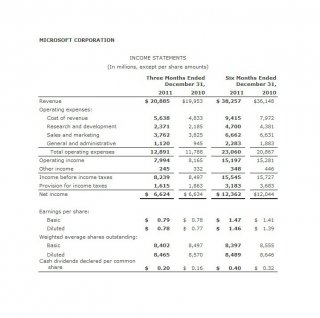
Free Income Statement Templates (Excel)
Each template below previews the layout and includes a download button. Files are provided in Excel format (.xls or .xlsx) so you can edit them right away.
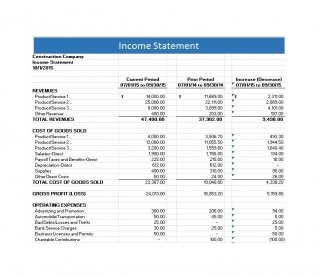
Income Statement Template 1 – Basic Layout

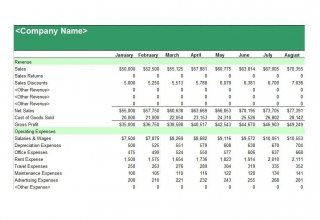
Income Statement Template 2 – Simple Profit and Loss Statement
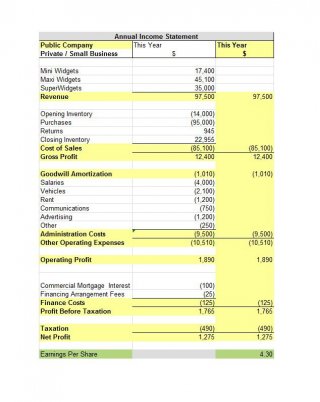
Income Statement Template 3 – Multi-Step Format
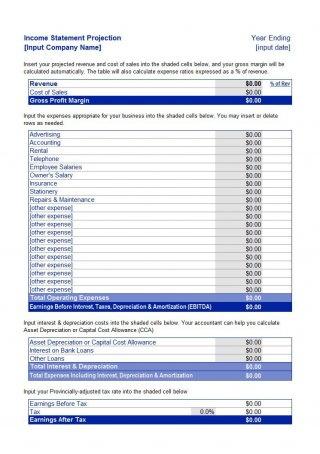
Income Statement Template 4 – Detailed Expense Breakdown
Income Statement Template 5 – Professional Business Format
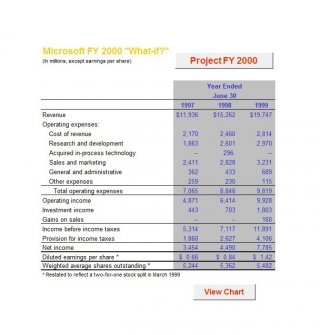
Income Statement Template 6 – Single-Column Statement
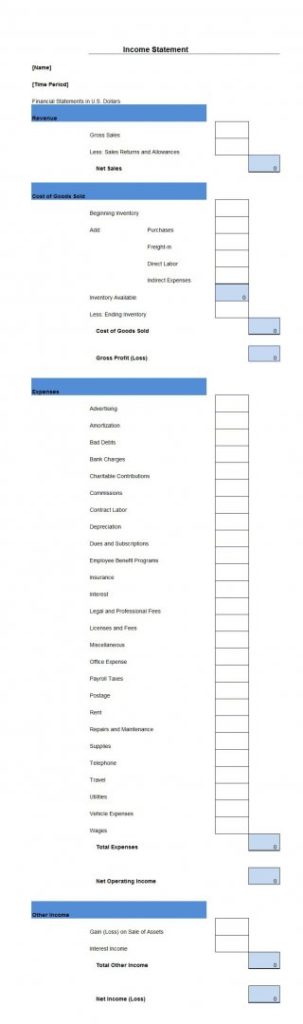
Income Statement Template 7 – Monthly Comparison Style
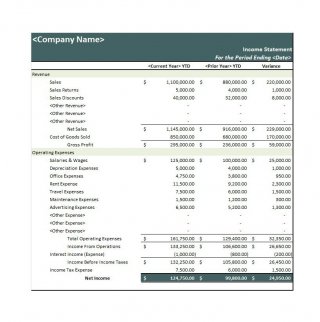
Income Statement Template 8 – Clean Summary Sheet
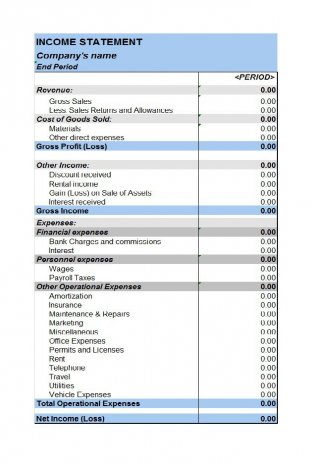
Income Statement Template 9 – Extended Profit and Loss Report
How to Make an Income Statement in Excel
- Choose your period. Decide whether you are reporting for a month, quarter, or year, and write the dates in the header.
- Download and open a template. Pick the layout that matches your level of detail and open it in Excel.
- Enter your business name. Replace the placeholder title with your company name and reporting period.
- List your revenue. Enter sales and other income from your accounting records or bank statements.
- Add cost of goods sold. Include direct costs so the template can calculate gross profit.
- Record operating expenses. Fill in rent, payroll, utilities, marketing, and other overhead.
- Review the totals. Check that the formulas produce gross profit, operating income, and net income correctly.
- Save and share. Keep an editable Excel copy and export a PDF for lenders or partners.
Tips for Accurate Profit and Loss Statements
- Use the same categories every period so you can compare results month to month.
- Record income when it is earned and expenses when they are incurred if you use accrual accounting.
- Reconcile your figures with bank statements before finalizing the report.
- Separate personal and business expenses to keep the numbers clean.
- Review the statement regularly and look for rising costs or shrinking margins.
Note: These templates are general-purpose tools and are not accounting, tax, or financial advice. Consult a qualified accountant for guidance specific to your business.
Frequently Asked Questions (FAQs)
What is the difference between an income statement and a profit and loss statement?
There is no difference in substance. Both terms describe the same report that lists revenues and expenses over a period to arrive at net income. “Profit and loss statement” or “P&L” is simply a more informal name.
How often should I prepare an income statement?
Most businesses prepare one monthly and again at the end of each quarter and year. Monthly reports help you catch overspending early, while annual statements are typically needed for taxes and lenders.
Can I use these templates for a small business or freelancer?
Yes. The simpler layouts work well for sole proprietors, freelancers, and small shops. Larger companies can use the multi-step and detailed versions.
Are these income statement templates really free?
Yes, all templates on this page can be downloaded for free and edited in Microsoft Excel or compatible spreadsheet software.
What is the difference between gross profit and net income?
Gross profit is revenue minus the direct cost of goods sold. Net income is what remains after subtracting all operating expenses, interest, and taxes, so it reflects the true bottom line.
Can I open these files in Google Sheets?
Yes. Upload the Excel file to Google Drive and open it with Google Sheets. Most formulas and formatting carry over without problems.
What should I include in the operating expenses section?
Include regular costs of running the business, such as rent, utilities, wages, insurance, advertising, software subscriptions, and office supplies. Keep direct production costs in COGS instead.
Final Thoughts
A clear income statement gives you a real picture of your business performance, and a good template makes the process quick and repeatable. Download the format that suits your needs, enter your figures, and review the results regularly so you always know where your business stands.


You must be logged in to post a comment.