A financial statement is a formal summary of the money coming into and going out of a business, organization or person over a set period. Whether you are a small business owner preparing for a bank loan, an accountant closing the books, or an individual applying for a mortgage, well-organized statements make your finances easy to understand. This page offers 11 free financial statement templates in Excel that you can download, edit and use right away, along with a practical guide to how each statement works.
What Is a Financial Statement?
Financial statements are written records that show the financial health, performance and liquidity of a business or individual. They answer questions such as: Is the company profitable? How much cash is available? What does the business own, and what does it owe? Investors, lenders, managers and tax authorities all rely on these reports to make decisions.
The Four Main Types of Financial Statements
- Income statement (profit and loss statement): shows revenue, costs and expenses over a period, ending in net profit or loss.
- Balance sheet (statement of financial position): a snapshot of assets, liabilities and owner’s equity on a specific date, following the rule that assets equal liabilities plus equity.
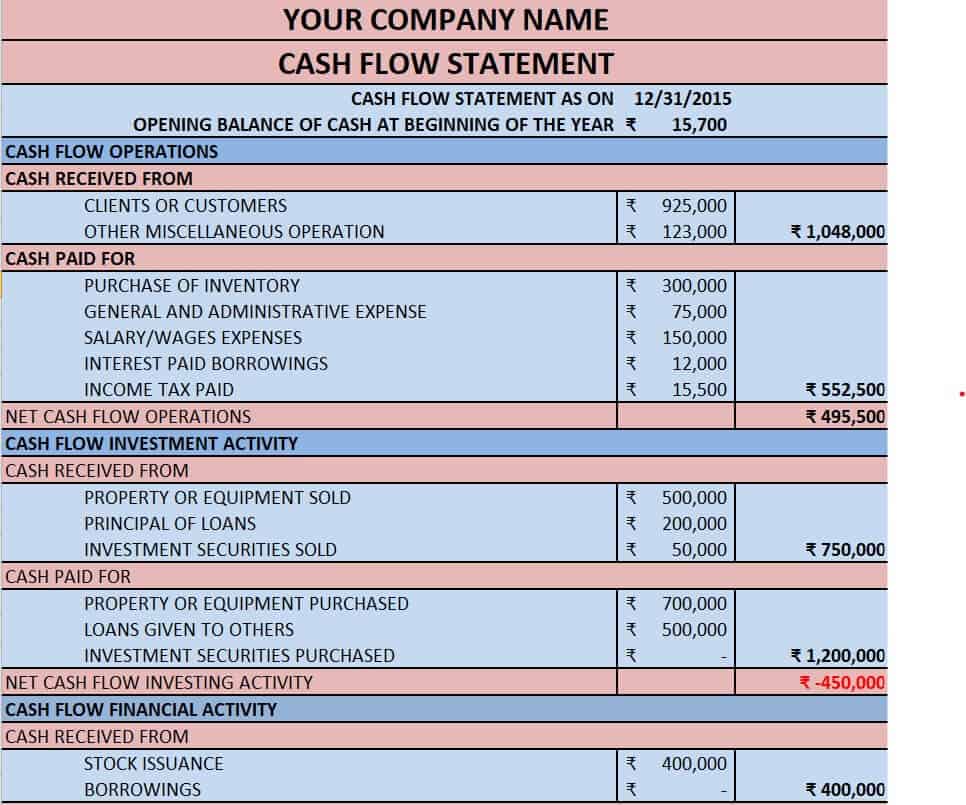
- Cash flow statement: tracks cash generated and spent from operating, investing and financing activities.
- Statement of changes in equity: shows how owner’s equity moved during the period through profits, losses, contributions and withdrawals.
Public companies must prepare all four each year, while small businesses and sole proprietors are not always required to but benefit greatly from doing so.
Why Use Financial Statement Templates in Excel?
Expensive accounting software is not always necessary. A well-designed Excel template already includes the layout, headings and formulas for totals and subtotals, which helps you avoid errors and saves hours of formatting. Benefits include:
- Professional, consistent formats that lenders and investors recognize.
- Automatic calculations for totals, net income and ratios.
- Easy customization for your own account names and reporting periods.
- No subscription costs, and files that work in any recent version of Excel.
- A reusable structure you can copy each month, quarter or year.
Free Financial Statement Templates in Excel
Pick the template that matches your needs. Each preview has a zip download below it.
Blank Financial Statement Excel Template
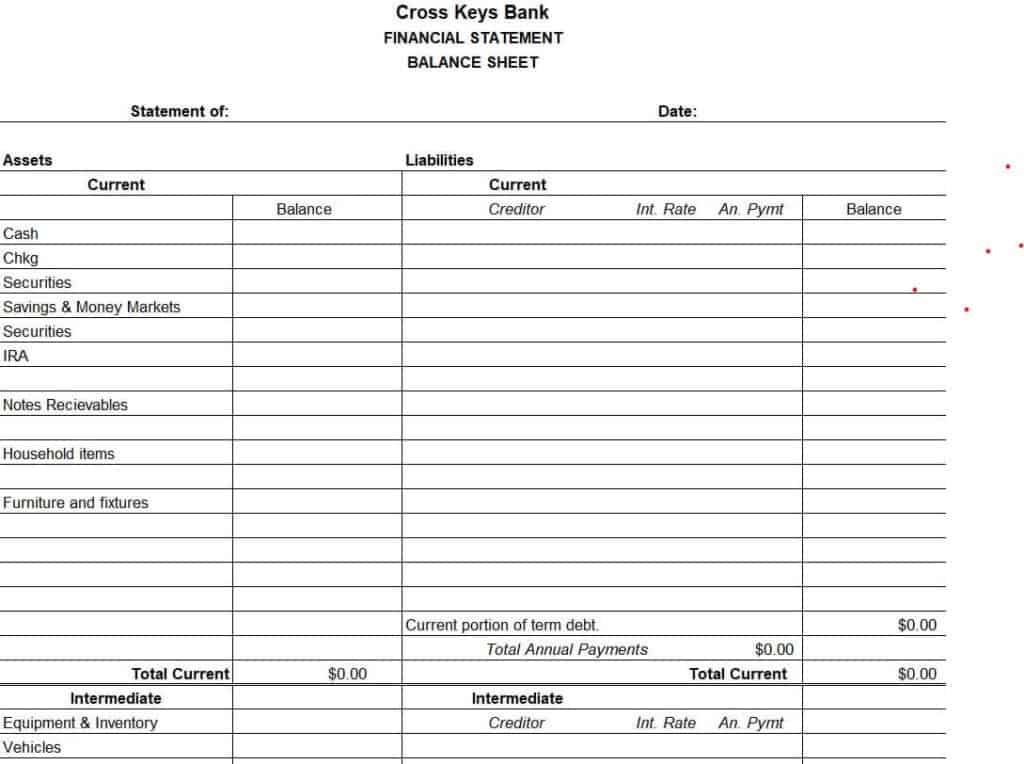
Personal Financial Statement Template
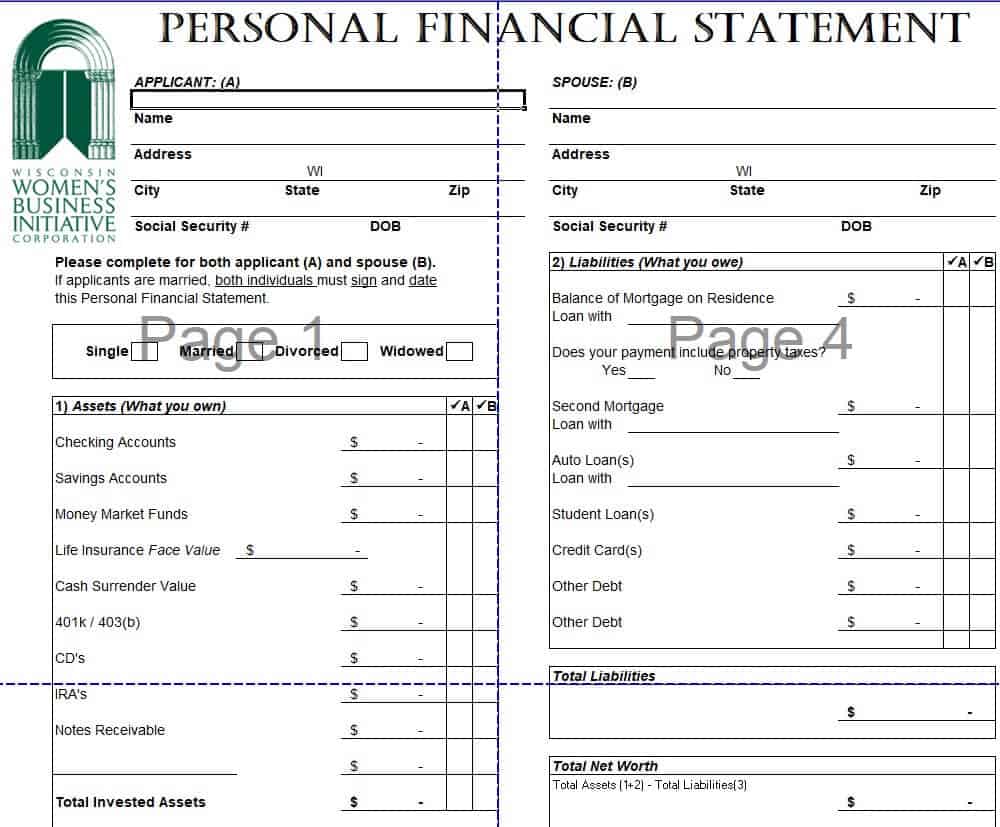
Company’s Profit and Loss Statement Template in Excel
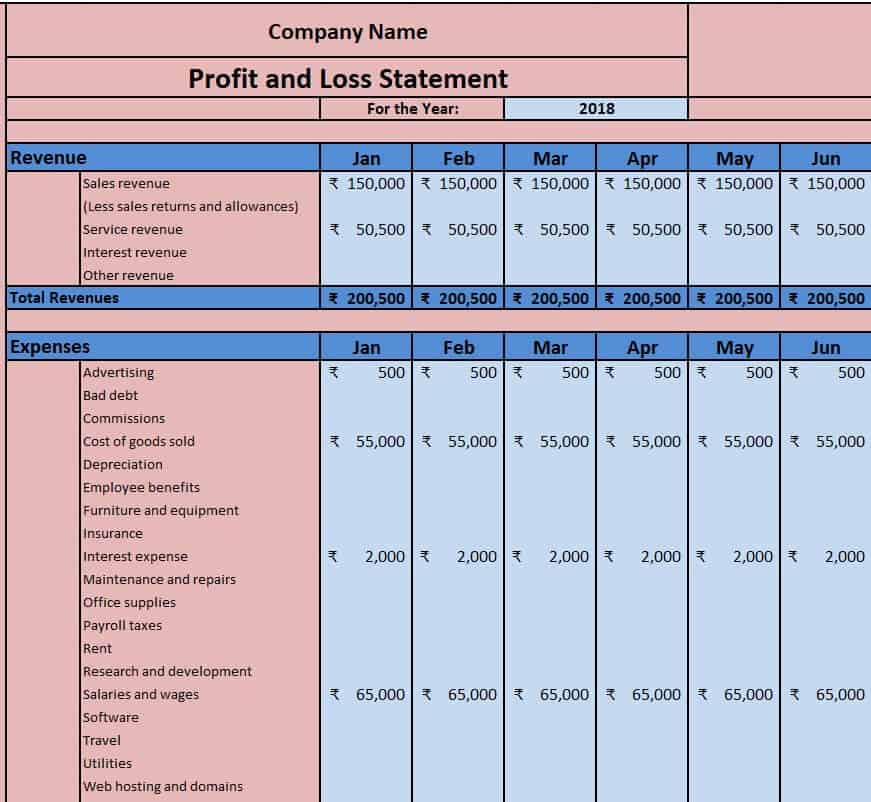
Business Balance Sheet Sample
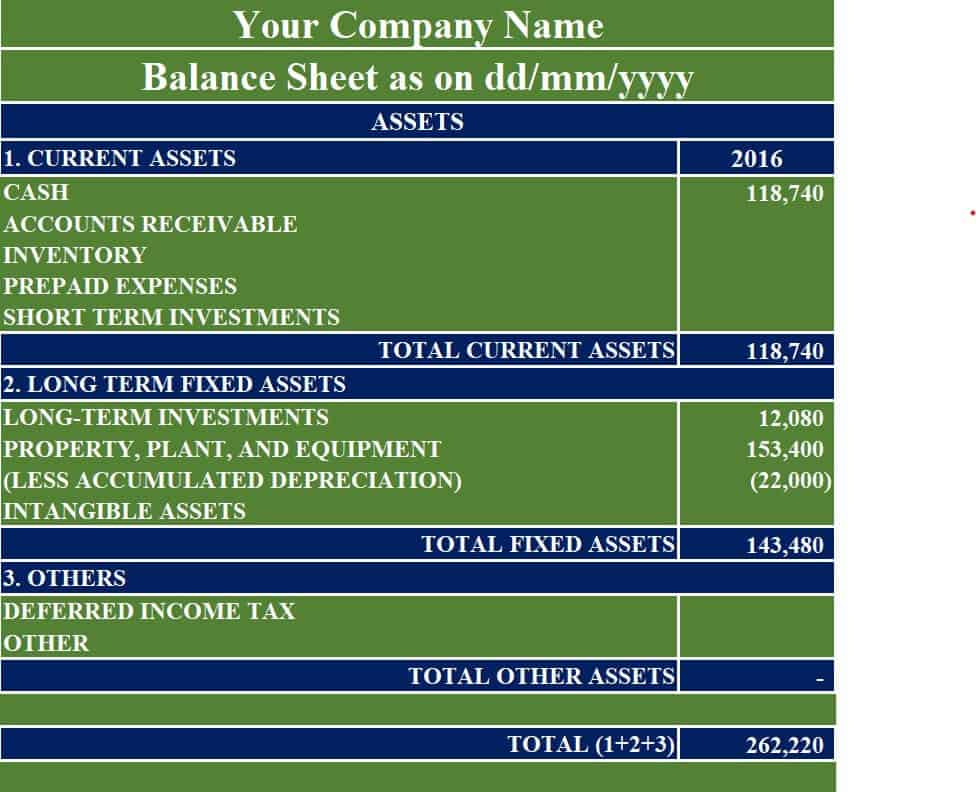
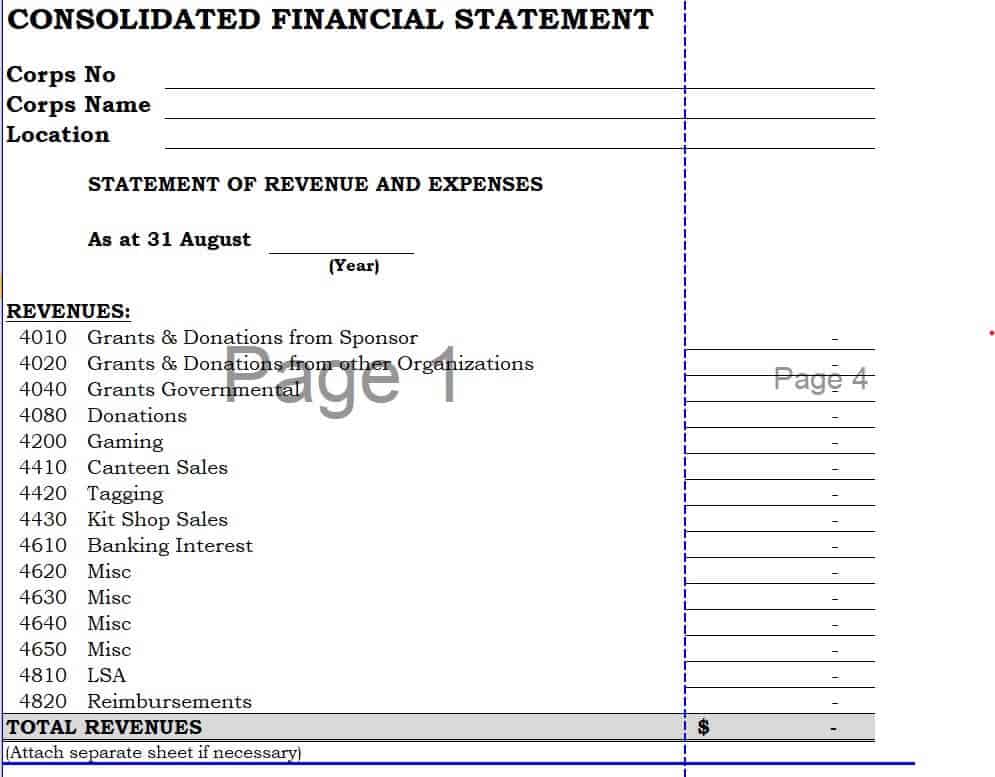
Consolidated Financial Statement Excel Template
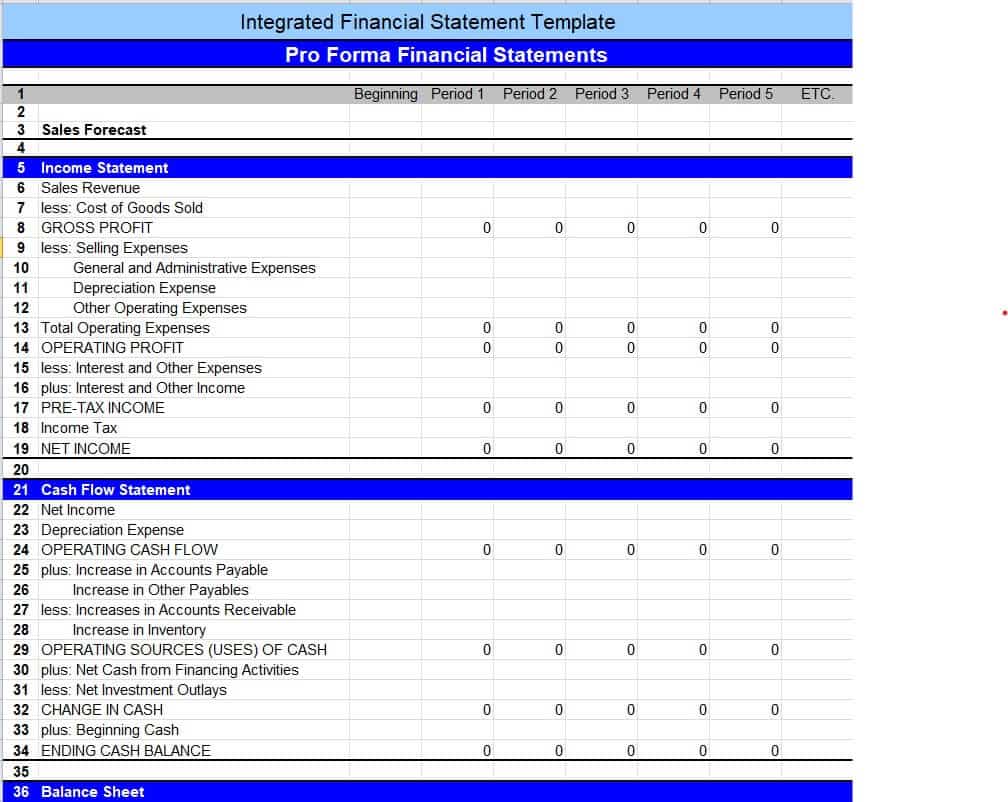
Integrated Financial Statement Pro Forma Template
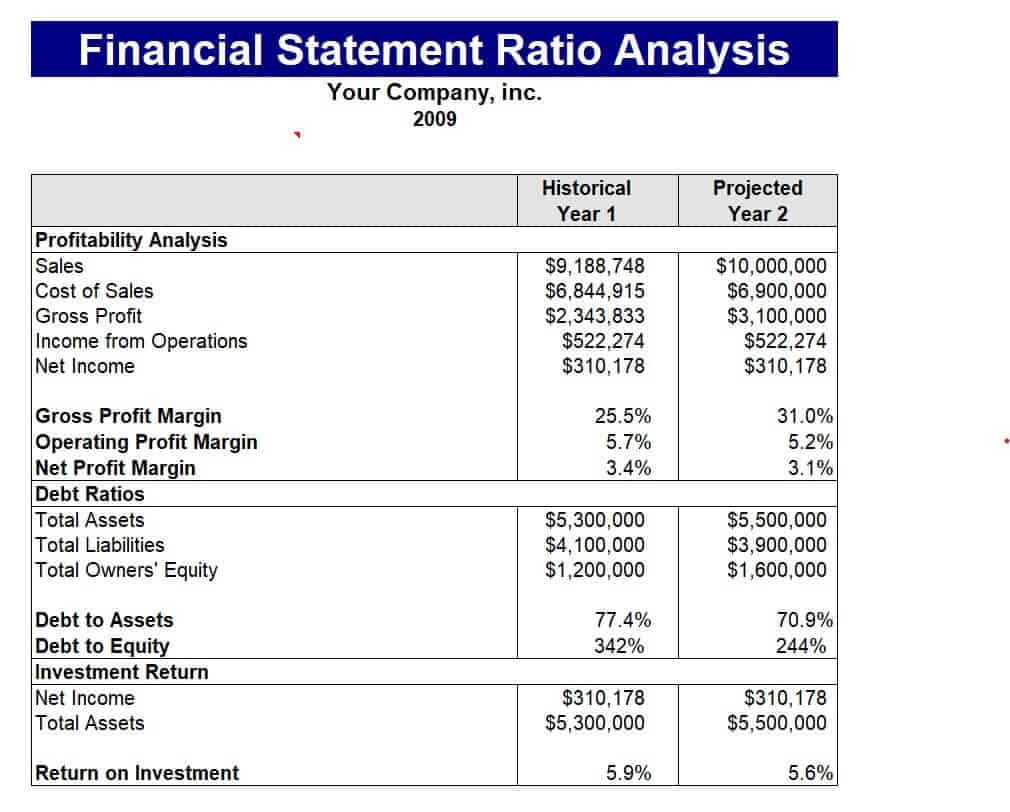
Financial Statement Ratio Analysis Example
Free Editable Cash Flow Statement Template
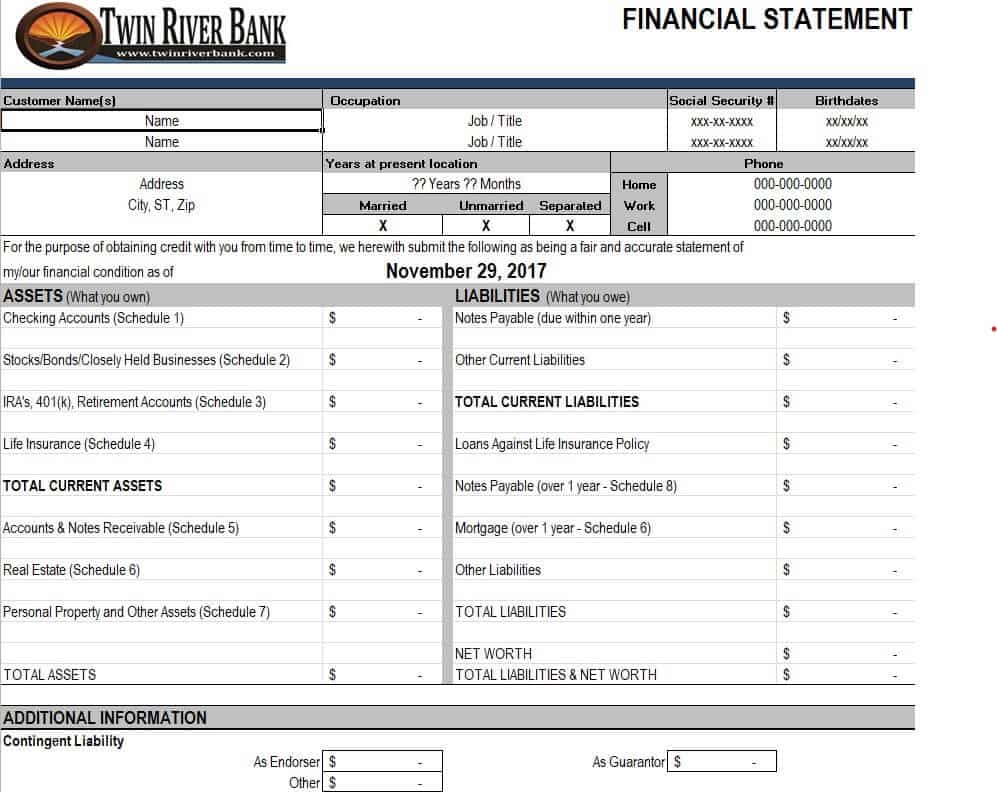
Official Financial Statement Example
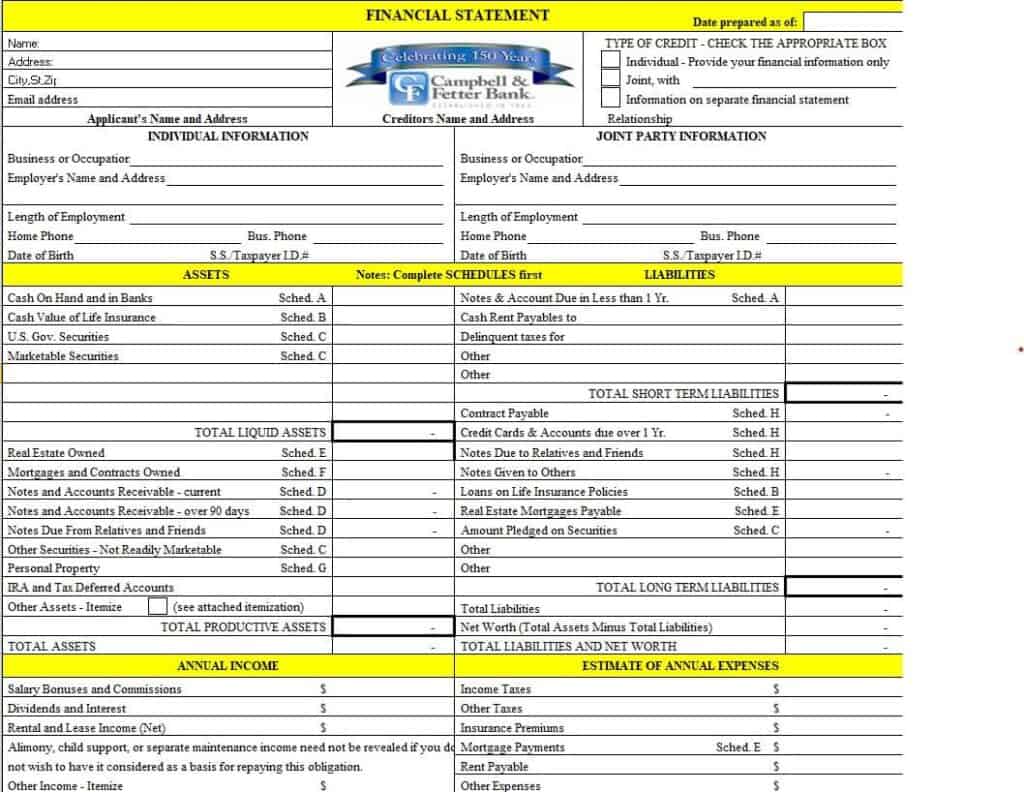
Bank’s Financial Statement Sample in XLSX Format
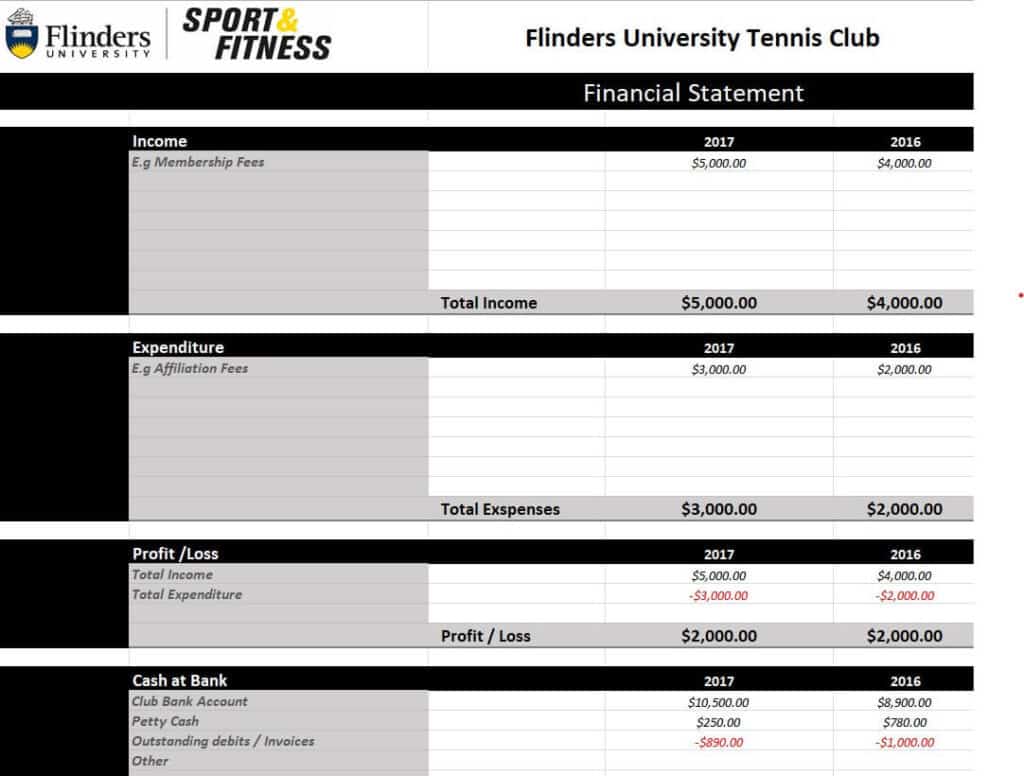
University Sports Club Financial Statement Template
How to Make a Financial Statement in Excel
- Choose your period. Decide whether you are reporting for a month, quarter or year, and write the dates at the top.
- Gather your records. Collect bank statements, invoices, receipts, payroll records and your general ledger.
- Start with the income statement. Enter total revenue, subtract cost of goods sold to find gross profit, then subtract operating expenses to reach net income.
- Build the balance sheet. List current and long-term assets, then liabilities, and finally equity. Check that assets equal liabilities plus equity.
- Prepare the cash flow statement. Begin with net income, adjust for non-cash items and changes in working capital, and add investing and financing flows.
- Review with formulas. Use SUM and simple checks to catch mistakes, and compare totals between statements.
- Save and protect. Keep a locked copy for records and a working copy for the next period.
Key Ratios You Can Calculate From Your Statements
Once your statements are complete, you can analyze them with a few key ratios. The current ratio (current assets divided by current liabilities) measures short-term liquidity. Gross profit margin and net profit margin show how much of every sales dollar becomes profit. Debt-to-equity compares borrowed money with owner funds, and return on assets shows how effectively the business uses what it owns. The ratio analysis template above gives a ready layout for these calculations.
Tips for Accurate Financial Statements
- Record transactions regularly instead of waiting until year-end.
- Use consistent account names and categories from period to period.
- Reconcile bank accounts monthly so your cash figures are correct.
- Separate personal and business expenses completely.
- Have an accountant review your statements before submitting them to a bank or tax authority.
- Keep supporting documents for every major entry.
These templates are provided for general use. For tax, audit or legal filing requirements, consult a qualified accountant.
Frequently Asked Questions (FAQs)
What are the main financial statements every business needs?
The core set includes the income statement, balance sheet, cash flow statement and statement of changes in equity. Together they show profitability, financial position, cash movement and changes in owner’s equity.
Are these financial statement templates free?
Yes, all templates on this page are free to download and use. Click Download under any preview, unzip the file and open it in Microsoft Excel.
Can I use these templates for a small business?
Absolutely. The templates are suitable for sole proprietors, partnerships, startups and small companies. Edit the account names and layout to match your business.
What is the difference between a profit and loss statement and a balance sheet?
A profit and loss statement covers a period of time and shows whether you earned or lost money. A balance sheet is a snapshot on one date showing what you own, what you owe and the owner’s equity.
How often should I prepare financial statements?
Most businesses prepare them monthly or quarterly for management, and annually for tax and lending purposes. Regular reporting helps you spot problems early and plan ahead.
What is a personal financial statement used for?
A personal financial statement lists your assets, debts and net worth. Lenders often request one for mortgages, business loans and other credit applications, and it is also a helpful way to track your own progress over time.
Do I need accounting software to use these templates?
No. Excel is enough for basic financial statements. As your business grows and transactions increase, you may choose accounting software, but these templates remain useful for reporting and analysis.
Final Thoughts
Clear financial statements give you confidence, credibility and control. Download the template that fits your situation, enter your numbers carefully, and review the results every period. Over time, the habit of regular reporting will help you make smarter decisions and present a professional picture to banks, investors and tax authorities.


You must be logged in to post a comment.